
AI applications in everyday life are the tools and features that use data to predict, sort, recommend, or automate tasks. You see them in Netflix suggestions, Google Maps reroutes, spam filters, phone cameras, and bank fraud alerts. None of that needs a robot body or a sci-fi lab. The biggest student mistake is thinking AI only means humanoid robots or chatbots that talk like people. That misses most of the real world. A shopping app that ranks products, a phone that blurs a face in a photo, and a thermostat that learns a schedule can all count as AI if the system studies data and makes a choice. That matters because AI in life applications hide in plain sight. They do not always announce themselves with a flashy label. They often work in the background, using past clicks, location data, voice input, or sensor readings to make one small decision after another. Once you know the pattern, you start spotting it fast. AI usually does three things: it analyzes data, it predicts what happens next, and it helps a service respond without a human handling every step. That can save time, but it can also make people trust the system too much when the data is messy or incomplete.
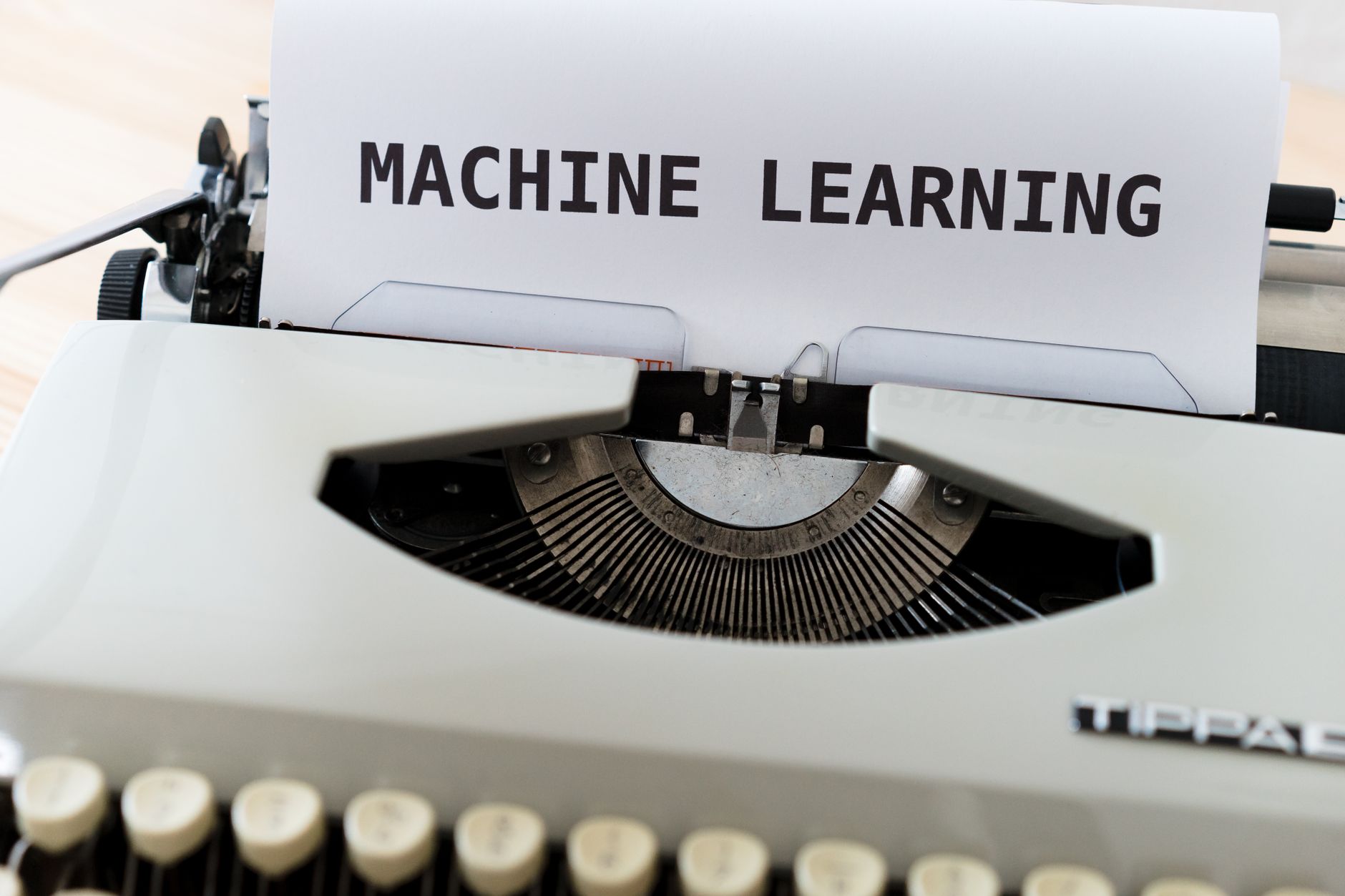
What Are AI Applications In Everyday Life?
AI applications in everyday life are software tools that study data and then predict, sort, recommend, or automate a task, often in seconds and usually without flashy hardware. The core idea is simple: a system looks at patterns from 1,000s of past actions, then uses those patterns to make a new choice.
Reality check: Most people picture a robot arm or a humanoid voice, but the real AI you meet daily sits inside apps, cameras, search boxes, and payment systems. That is why an introduction to artificial intelligence should start with behavior, not with metal or movie scenes.
A student who understands this can spot AI in life applications faster than someone waiting for a sci-fi moment. A music app ranking 20 songs, a bank flagging 3 odd card charges, and a phone turning on face unlock all use data patterns. None of those tasks look dramatic, and that is the point.
People also mix up automation and AI. A timer that turns off lights at 10:00 p.m. follows a rule. A smart speaker that learns which room gets used most on weekdays and adjusts light levels from those patterns uses AI-style analysis. The difference sits in the data.
This lens matters in college too. A 3-credit introduction to artificial intelligence course often starts with the same split: rules versus learning. That split helps you see why some tools stay fixed while others change behavior after 50 searches, 200 swipes, or a month of use.
A lot of students say AI sounds too advanced to notice in normal life. I disagree. The plain truth is that AI shows up anywhere software has enough data to guess the next best action, and that happens all day long.
Why Do Recommendations Feel So Personal?
Recommendation systems feel personal because they track your clicks, watch time, skips, purchases, and pauses, then rank content using those signals in real time. Netflix, Spotify, YouTube, Amazon, and TikTok all use this basic idea, even if each platform does it in its own way.
The catch: The system does not read your mind. It predicts what you will likely tap next from patterns like 12 skipped songs, 4 late-night searches, or a 90-second video you watched twice.
That prediction engine matters more than people think. If you click 5 travel videos and ignore 15 cooking clips, the model starts treating travel as a stronger bet. It does not care about your personality in a deep human sense. It cares about which option has the best odds of getting another click.
This is why recommendations can feel weirdly accurate on one day and off on another. Your behavior changes, the model updates, and the feed shifts with it. That also explains why a fresh account can look bland for the first 3 days. Without data, the system has less to work with.
The downside shows up fast. Recommendations can trap you in a narrow feed, push extreme content, or keep showing one type of product because it drove a few strong clicks. That is not magic. It is a ranking system chasing prediction, and it can get lazy when the signals stay too narrow.
If you want a clean introduction to artificial intelligence, recommendations give you one of the best starting points, because they show how everyday tools quietly turn behavior into decisions. You can also see the same logic inside an AI course overview and even in ethics in technology, where the question is not just what the system can do, but what it should do.
Learn Artificial Intelligence Online for College Credit
This is one topic inside the full Artificial Intelligence course on UPI Study — a self-paced online class for college credit. Credit recommended by NCCRS; your college decides how credits transfer. Courses start at $250 with no deadlines and lifetime access.
Explore AI Course Details →How Do Virtual Assistants And Navigation Use AI?
Virtual assistants and navigation apps use AI to hear speech, understand intent, read map data, and choose the next best response in a few seconds. Siri, Alexa, Google Assistant, Google Maps, and Waze all rely on models that turn raw input into action, which is why a spoken request or a traffic jam can trigger an instant response. That mix of speed and prediction is what makes these tools feel almost polite, even when they are just doing math.
What this means: The assistant does not just answer words; it tries to figure out what you mean from a short phrase, a 2-second pause, or a location signal.
- Speech recognition turns your voice into text, often within 1-2 seconds.
- Language understanding maps “call Mom” or “set a timer” to the right action.
- Route planning checks roads, distance, and ETA data across 5, 10, or 30 minutes.
- Traffic prediction uses live reports, speed changes, and accident alerts to reroute you.
- Decision support suggests the fastest path, the quietest road, or the next calendar step.
That list shows the real pattern: input, analysis, decision, response. A map app may swap your route after a 7-minute slowdown on the highway, while a voice assistant may hear a noisy kitchen and still catch a 6-word command. The weak spot sits in bad audio, spotty GPS, or stale map data, and then the system can make a clumsy call. Still, the basic job stays the same. It sorts signals, weighs options, and acts faster than a human could while driving or cooking.
Which Everyday Tasks Does AI Support Best?
AI shows up most clearly when a tool saves time, flags risk, or cleans up messy input from a phone, inbox, or sensor. A single bank app, camera app, or smart speaker can process hundreds of signals in under 1 second, which is why these features feel instant.
- Healthcare apps can flag unusual heart-rate patterns from a wearable like Fitbit or Apple Watch. They compare today’s reading with 7-day trends.
- Fraud systems scan card use, location, and purchase size to spot a 2 a.m. charge 600 miles away.
- Budgeting tools sort spending into food, rent, and travel by reading transaction names and amounts.
- Email spam filters learn from 1,000s of marked messages and move junk before you open it.
- Smart home devices adjust lights, thermostats, or speakers after they learn a 7-day routine.
- Phone cameras sharpen faces, brighten low light, and reduce blur by analyzing pixels in real time.
Worth knowing: The user often sees only the result, not the data work behind it.
That hidden work matters because people trust the polished result and forget the system can miss weird cases, like a legit trip that triggers a fraud lock or a sleep tracker that misreads motion. I like these tools, but I do not worship them. They help most when the pattern is clear and the stakes stay low enough for a human to step in.
How Is AI Changing Healthcare, Finance, And Devices?
AI is changing healthcare, finance, and devices by screening data faster than a person can, then surfacing likely problems for a human to review. In hospitals, models can flag 1 abnormal X-ray, a risky lab trend, or an early warning sign before symptoms look obvious. In banks, systems check credit behavior, fraud clues, and account history in seconds instead of waiting for a manual review.
The convenience feels real. A mobile banking app can approve a payment alert in 10 seconds, a glucose monitor can send a reading every 5 minutes, and a smart thermostat can learn a home’s pattern after about 2 weeks of use. That saves time and cuts friction, which is why people keep adopting these tools even when they barely notice the AI inside them.
Bottom line: AI helps most when it handles repetitive checks, not final judgment.
That line matters in medicine and money, where a false alarm can annoy you and a wrong call can cost far more. A doctor still reads the scan. A banker still reviews edge cases. A human still owns the hard call, and that split protects people when the model sees only part of the story.
Voice-controlled speakers, doorbells, watches, and cameras follow the same pattern. They collect sound, motion, temperature, or tap data, then act on it in 1 step instead of forcing you through 5 menus. Handy, yes. Perfect, no.
Frequently Asked Questions about Artificial Intelligence
The most common wrong assumption is that AI only lives in robots or sci-fi movies. AI applications in everyday life are tools that analyze data, then help you get recommendations, directions, medical support, money alerts, or faster replies in apps like Netflix, Google Maps, Siri, and bank fraud filters.
Most students think AI has to look smart to count, but it often works in the background on simple tasks. Your phone camera can sort faces, your email can filter spam, and a streaming app can rank 1000s of titles based on what you watched last week.
Most students just memorize terms, but what actually works is spotting AI in real tools you already use. Look at one app each day for 7 days and ask: does it predict, sort, recommend, or automate a task based on data?
In one day, AI can touch 10 or more choices through maps, shopping ads, music picks, and bank fraud alerts. That matters because the same pattern shows up in an introduction to artificial intelligence course, where you learn how systems use data to make those choices happen.
This applies to you if you use a phone, bank online, shop on Amazon, or study online, and it doesn't apply only to tech workers or data scientists. If you've used a smart speaker, a face unlock feature, or a recommendation feed, you've already met AI.
If you get it wrong, you may trust bad recommendations, miss a scam alert, or ignore a health app warning that could save time or money. AI can support decision-making, but you still need to notice when it guesses from patterns, not facts.
Start by checking 3 apps you use every day: your map app, your shopping app, and your inbox. That simple scan helps you see where AI sorts messages, predicts traffic, and ranks product choices before you even tap anything.
No, AI applications in everyday life also help with safety, speed, and better choices. A bank can flag a card charge in seconds, a hospital system can help read scans, and a phone can warn you about a bad route or a spam call.
Yes, you can earn college credit through an online course that offers ace nccrs credit and transferable credit at cooperating schools. A good introduction to artificial intelligence course can help you study online while you learn how AI shows up in apps, finance, and healthcare.
AI personalizes what you see by studying clicks, watch time, searches, and purchase history, then ranking items that look most useful to you. That can shape 50-song playlists, shopping homepages, and news feeds, though the results depend on the data you give it.
You should learn now because AI already affects 6 big areas of daily life: recommendations, virtual assistants, navigation, healthcare, finance, and smart devices. If you can name those 6, you can spot AI fast and talk about it with more confidence.
Final Thoughts on Artificial Intelligence
AI in daily life looks ordinary once you know what to watch for. A feed that changes after your last 5 clicks, a map that reroutes around traffic, a phone camera that sharpens a face in low light, and a bank app that blocks a strange charge all follow the same pattern: data in, prediction out. That pattern gives AI its real power. It helps software act faster, tailor content, and reduce boring work. It also creates blind spots. A system can miss context, repeat bias, or overtrust patterns that only looked true in the last 30 days. That is why the best users do not treat AI like a magic brain. They treat it like a fast assistant that still needs a human eye. If you want to spot AI around you, start with three questions: What data does this tool watch, what decision does it make, and what part does it automate? That one habit cuts through the hype fast. You will start noticing AI in places most people ignore, like email filters, payment checks, thermostat settings, and camera modes. That shift matters. Once you can name the pattern, everyday tech stops feeling mysterious and starts feeling readable. Keep watching the tools you already use, and the next time an app seems oddly accurate, ask what data made it act that way.
How UPI Study credits actually work
Ready to Earn College Credit?
Credit recommended by NCCRS · Self-paced · Your college decides how credits transfer · $250/course or $99/month (US)