
CSS sets the look of a web page, while HTML gives it structure and meaning. That split matters because one page can hold a heading, 3 paragraphs, and a button, yet CSS decides whether those pieces look cramped, calm, bold, or messy. If you want the essentials of CSS, start there: HTML says what something is, and CSS says how it should appear. A strong CSS setup helps you keep colors, fonts, spacing, and alignment consistent across a whole site. That sounds small until you open 12 pages and every heading sits in a different size or every link uses a different blue. CSS fixes that kind of chaos fast. It also gives you a clean way to make one change and see it across 20 or 200 elements, which saves time in any front-end project. The core ideas are simple. You write a selector, attach properties, and set values. Then the cascade and specificity decide which rule wins when 2 styles fight for the same element. That sounds technical, but students usually get it once they see one or two real examples. For someone building a class project, a portfolio, or a small business page, CSS is the part that turns plain content into something people can actually read without squinting. It also sets you up for later tools like flexbox, grid, and JavaScript-driven changes. If you are working through an introduction to javascript course, CSS still matters because the page has to look right before any script can do anything useful. Without that base, even good content feels unfinished.
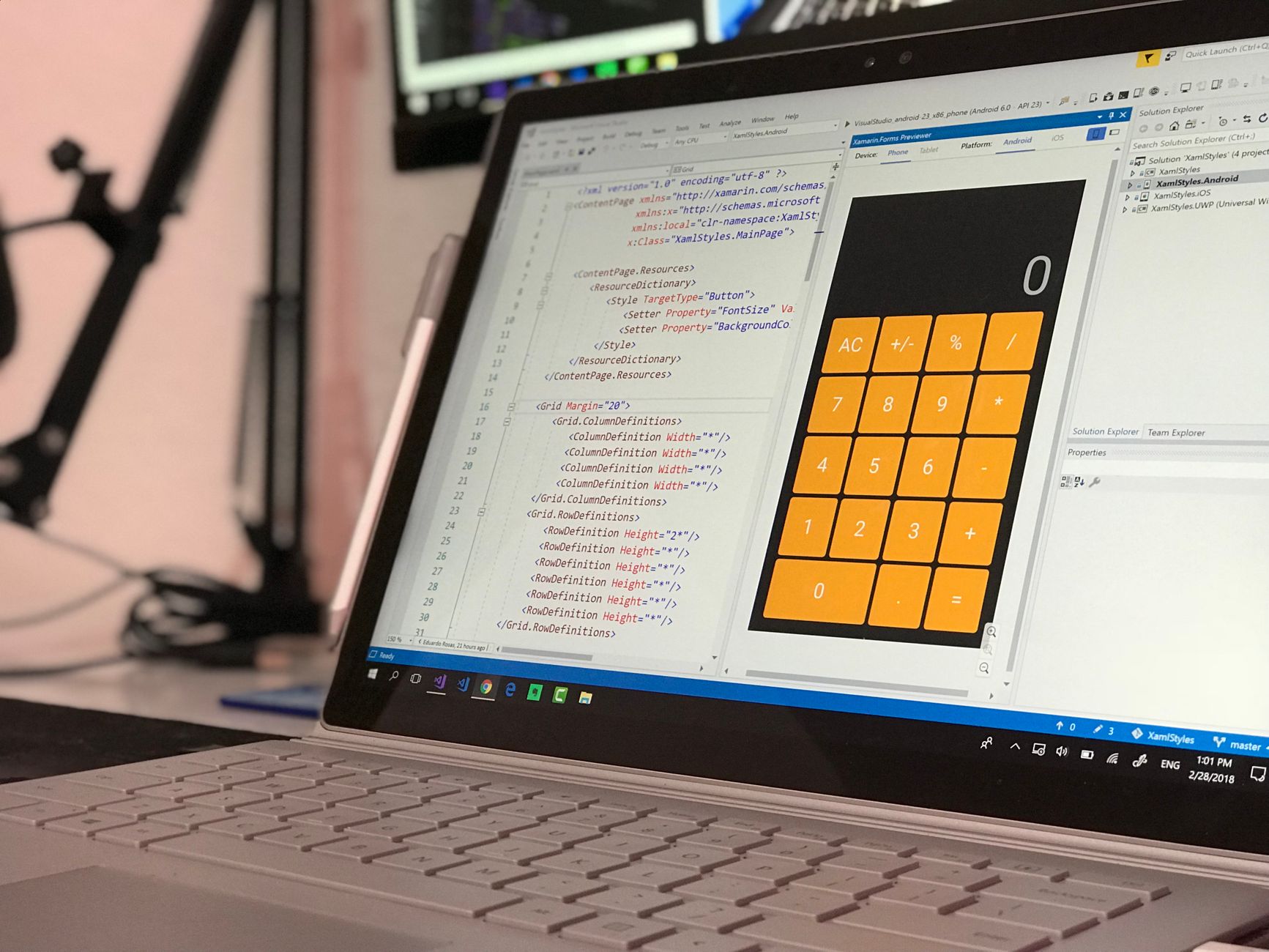
Why Is CSS Essential For HTML Pages?
CSS is essential because it separates how a page looks from what the page says, and that split keeps large sites sane when they grow past 5 or 50 pages. HTML gives meaning with tags like <h1>, <p>, and <a>, while CSS changes color, spacing, fonts, borders, and alignment without touching the content itself. That separation saves time, cuts mistakes, and makes a site easier to update later.
The catch: If you skip CSS, HTML still works, but the page looks raw, and raw pages feel harder to read after about 2 or 3 screens of scrolling.
Think about a 6-page class project or a 20-page business site. You can set one font family, one button style, and one heading size rule, then reuse them across every page. That gives the site a steady look, which matters more than people admit. A visitor notices broken spacing faster than they notice clever content. I’d call that a hard truth of web work.
CSS also helps with responsive design, so a page can shrink to a 375-pixel phone screen or stretch across a 1440-pixel laptop display without falling apart. You can set margins in pixels, rems, or percentages, and that lets content breathe instead of crowding the edge. A good page usually feels calm before it feels flashy.
If you study web basics alongside Introduction to HTML and CSS, this separation clicks faster because you see both layers together. The same logic applies if you pair styling practice with a course like Introduction to JavaScript; scripts change behavior, but CSS still controls the look users face first.
How Do CSS Selectors, Properties, And Values Work?
A CSS rule has 3 parts: a selector, a property, and a value, and that tiny grammar drives almost everything in styling. A selector picks the element, the property names the thing you want to change, and the value tells CSS what to set. For example, `p { color: navy; }` targets all paragraph tags, changes the `color` property, and sets it to `navy`.
Element selectors like `h1` or `p` hit every tag of that type. Class selectors start with a dot, like `.card`, and they let you style 10 buttons or 3 info boxes the same way. ID selectors start with `#`, like `#hero`, and they target 1 unique item on the page. That last one sounds neat, but I think students lean on IDs too early and box themselves in.
What this means: A class selector usually beats an element selector, and an ID selector usually beats both, so the shape of your selector matters as much as the value you set.
You can stack selectors too. `nav a` targets links inside a nav bar, while `.menu .item` finds items inside a menu block. That lets you write rules that stay specific without turning every line into a monster. Clean selector habits matter from day 1, because tangled selectors turn simple fixes into 30-minute hunts.
If you want a practice path that fits this topic, the Introduction to JavaScript course pairs well with CSS because both ask you to think in rules, targets, and outcomes. For broader computer skills, Computer Concepts and Applications gives useful context for file handling, browsers, and digital workflow.
Which CSS Rules Win In The Cascade?
The cascade decides which CSS rule wins when 2 or more rules target the same element, and it follows a clear order instead of random guesswork. CSS first checks importance, then specificity, then source order, so the last rule in the file does not always win. That little detail trips up beginners more than any syntax error.
Specificity measures how precise a selector is. An element selector like `p` has low weight, a class like `.note` has more weight, and an ID like `#intro` has even more. If 2 rules fight for the same `color` property, the more specific selector usually takes control. That is the part people memorize wrong the first time, then they wonder why a style refuses to change.
Reality check: A rule that looks simple can still lose if a more specific selector points at the same element, and that can happen in a file with just 15 lines.
Source order still matters when selectors tie. If `p { color: black; }` appears before `p { color: green; }`, the green rule wins because it comes later. That sounds basic, but basic rules save hours. I prefer this system to random trial-and-error because it rewards clear thinking.
Students who study alongside an Introduction to JavaScript module often spot this faster, since both CSS and JavaScript depend on exact targeting. If you are building toward college credit through an online course, this kind of logic also helps when you compare code behavior across labs and assignments. CSS does not forgive sloppy thinking, and that honesty is one reason it teaches well.
Learn Introduction To Javascript Online for College Credit
This is one topic inside the full Introduction To Javascript course on UPI Study — a self-paced online class for college credit. Credit recommended by ACE and NCCRS; your college decides how credits transfer. Courses start at $250 with no deadlines and lifetime access.
Explore on UPI Study →What CSS Basics Make Pages Readable?
Readability starts with rhythm, and rhythm comes from a few plain choices: font size, line height, spacing, contrast, and repeated class styles. A body font near 16px, line height around 1.5, and margins that leave 24px to 32px of breathing room can turn a cramped page into one people can scan without effort. Color matters too. Dark gray on white beats pale gray on white every time, because weak contrast makes readers work harder than they should.
Worth knowing: A page can look “clean” and still feel hard to read if links, headings, and body text all use the same 14px size.
- Use 16px body text so most readers can scan 2 to 3 paragraphs comfortably.
- Set line height near 1.5 for calmer blocks of text.
- Give headings 24px or more so sections stand apart.
- Use one class for repeated cards, buttons, or alerts.
- Keep link color distinct from body text by at least 1 clear step.
Reusable classes help more than one-off styles because they keep 8 buttons or 12 cards looking like they belong to the same site. That kind of consistency feels boring in the best way. It makes the page easier to trust.
If you want a simple companion path, the Introduction to HTML and CSS course gives direct practice with text size, spacing, and class-based styling. A solid Introduction to JavaScript course can come later, but CSS already does a lot of the visual heavy lifting.
How Does CSS Create Simple Page Layouts?
CSS creates simple layouts by controlling how boxes behave, and every HTML element already acts like a box of some kind. Block elements like `div`, `p`, and `section` usually start on a new line, while inline elements like `span` and `a` stay inside text. That difference sounds tiny, but it shapes the whole page. A block element can hold a 300px card or a full-width banner, while an inline element works better for a word, a link, or a short label.
The box model gives each element 4 layers: content, padding, border, and margin. Padding adds space inside the box, border draws the edge, and margin adds space outside. If a button feels too tight, you usually change padding before you touch anything else. I like the box model because it explains a lot with almost no drama.
You can also change `display` to alter behavior. `display: inline-block;` lets an item sit beside others while still acting like a box. `display: flex;` helps you line up items in a row or column with far less pain than old-school float hacks. Grid gives you a 2-dimensional setup for rows and columns, which helps once a page needs a header, sidebar, and main area.
Bottom line: Start with the box model, then learn flexbox for 1-dimensional alignment and grid for 2-dimensional page structure.
A student building a 4-section homepage can get a clean result with just margin, padding, and `display: flex;`. That is enough to make a page feel organized before any fancy effect shows up.
How Does CSS Fit With Real Study And Credit Plans?
A 12-week web class can teach CSS basics, but self-paced study often moves faster because you can repeat selectors and layout work until it sticks. That matters if you want college credit or a transferable credit path tied to web skills, since many students need both practice and proof. CSS sits in that sweet spot: it looks simple on day 1, then it keeps paying off when you build bigger projects.
If you are also taking an introduction to javascript course, CSS gives you the visual base that makes those scripts useful in real pages. A button can change color, a menu can open, and a card can slide into place, but only if the page already looks organized. That is why I rate CSS as more than decoration. It is the frame that holds the rest.
Students who study online often like CSS because they can test one change at a time and see the result in seconds, not weeks. That fast feedback makes it easier to spot mistakes like a missing semicolon, a typo in `margin`, or a class name that never matches the HTML. I think that instant feedback beats passive reading by a wide margin.
If your plan includes ACE NCCRS credit, or any kind of online course path that feeds into later study, CSS practice gives you a clean skill set to show in a portfolio. The work looks small, but a page with 6 well-styled sections says more than a list of buzzwords ever will.
Frequently Asked Questions about CSS Essentials
Most students start by memorizing random properties, but what actually works is learning selectors, properties, values, the cascade, and specificity together. CSS controls how HTML looks in the browser, and even 1 class rule can change every matching element on a page.
Start by linking one .css file to your HTML with a <link> tag in the <head>. That one file can style 10 pages at once, which saves you from repeating the same font, color, and spacing rules on every page.
What surprises most students is that CSS does not just paint text and boxes; it decides which rule wins when 2 rules fight. Specificity and source order decide that, so a later rule or a more specific selector can override an earlier one.
The most common wrong assumption is that CSS only changes colors and fonts. It also handles spacing, borders, widths, alignment, and simple layouts like Flexbox, so a page can go from cramped to clear with 3 or 4 lines of code.
This applies to anyone building web pages in HTML, from a 1-page portfolio to a 20-page site, and it doesn't stop at beginners. If you want consistent readable pages, you need CSS whether you study online, take an introduction to javascript course, or build toward college credit.
You can make a page look decent with 5 core parts: selectors, properties, values, the cascade, and specificity. A simple rule like p { color: #222; line-height: 1.5; } can already improve readability on every paragraph.
CSS controls presentation, while HTML holds the content structure. That split lets you keep your headings, paragraphs, and links in HTML, then use CSS to set things like font size, spacing, and a 2-column layout without changing the content itself.
If you get specificity wrong, the browser may show the wrong color, margin, or font even when your rule looks correct. A more specific selector, like #main p, can beat a plain p rule every time, and that can confuse you fast.
Selectors pick the HTML elements, properties tell CSS what to change, and values tell it how to change them. In h1 { color: navy; }, h1 is the selector, color is the property, and navy is the value.
The cascade is CSS's rule system for choosing which style wins when several rules match the same element. Browser defaults, your stylesheet order, and selector strength all matter, so a later .btn rule can override an earlier one.
An introduction to javascript course teaches behavior, while CSS teaches appearance, so they solve different jobs. JavaScript can react to a click in 1 second, but CSS decides whether the button looks blue, padded, and aligned in the first place.
Yes, an online course on CSS can count toward ace nccrs credit, and some programs use it as transferable credit or college credit in web-focused study plans. That matters if you study online and need proof of work, not just a certificate.
CSS basics matter because they help you make a page readable on phones, laptops, and 27-inch monitors without changing the HTML each time. Good spacing, font size, and contrast can cut visual clutter in under 10 minutes of work.
Final Thoughts on CSS Essentials
CSS looks small until you use it on a real page. Then it turns into the part that holds everything together. HTML gives you headings, paragraphs, images, and links. CSS decides whether those pieces look sharp, cramped, clean, or confusing. That is why the essentials matter so much: selectors pick targets, properties name the change, values set the result, and the cascade decides which rule wins. A student who learns CSS well can fix ugly spacing, build readable pages, and keep 10 sections from looking like 10 different websites. That skill travels fast across projects. A class homepage, a portfolio, a blog, and a small business site all need the same basics: good contrast, enough white space, clear headings, and layout that does not fight the content. The nice part is that CSS rewards practice more than memorization. You do not need 200 tricks on day 1. You need a few solid habits: write clean selectors, keep class names sane, use the box model on purpose, and watch how changes affect the page at 375px and 1440px. That is real progress. Start with one HTML page, style the text first, then add spacing and layout, and keep adjusting until the page reads well on both phone and laptop screens.
How UPI Study credits actually work
Ready to Earn College Credit?
Credit recommended by ACE and NCCRS · Self-paced · Your college decides how credits transfer · $250/course or $99/month (US)