
A network interface card, or NIC, is the hardware that lets a device talk to a network. It can sit on a motherboard, plug in as a card, or show up as a USB adapter, but the job stays the same: move data between the device and the network using network rules like Ethernet or Wi‑Fi. No NIC, no normal network access. A desktop without an Ethernet port cannot join a wired LAN. A laptop without a Wi‑Fi adapter cannot join a wireless network. That sounds blunt because it is. The NIC gives a computer, printer, server, smart TV, or camera a way to send frames out and receive them back in a form the device can use. Students usually meet NICs early in an introduction to networking course because the part looks simple and still matters every day. A NIC can support a 100 Mbps link, a 1 Gbps port, or faster, and those numbers change how quickly files move and how steady a connection feels. The card also carries a MAC address, which helps the network tell one device from another on a local network. People sometimes think the router does all the work. It does not. The NIC handles the device side of the link, and that makes it the first stop in almost every network conversation. If you want to understand why a laptop connects in 10 seconds and a printer does not, NIC basics give you the cleanest answer.
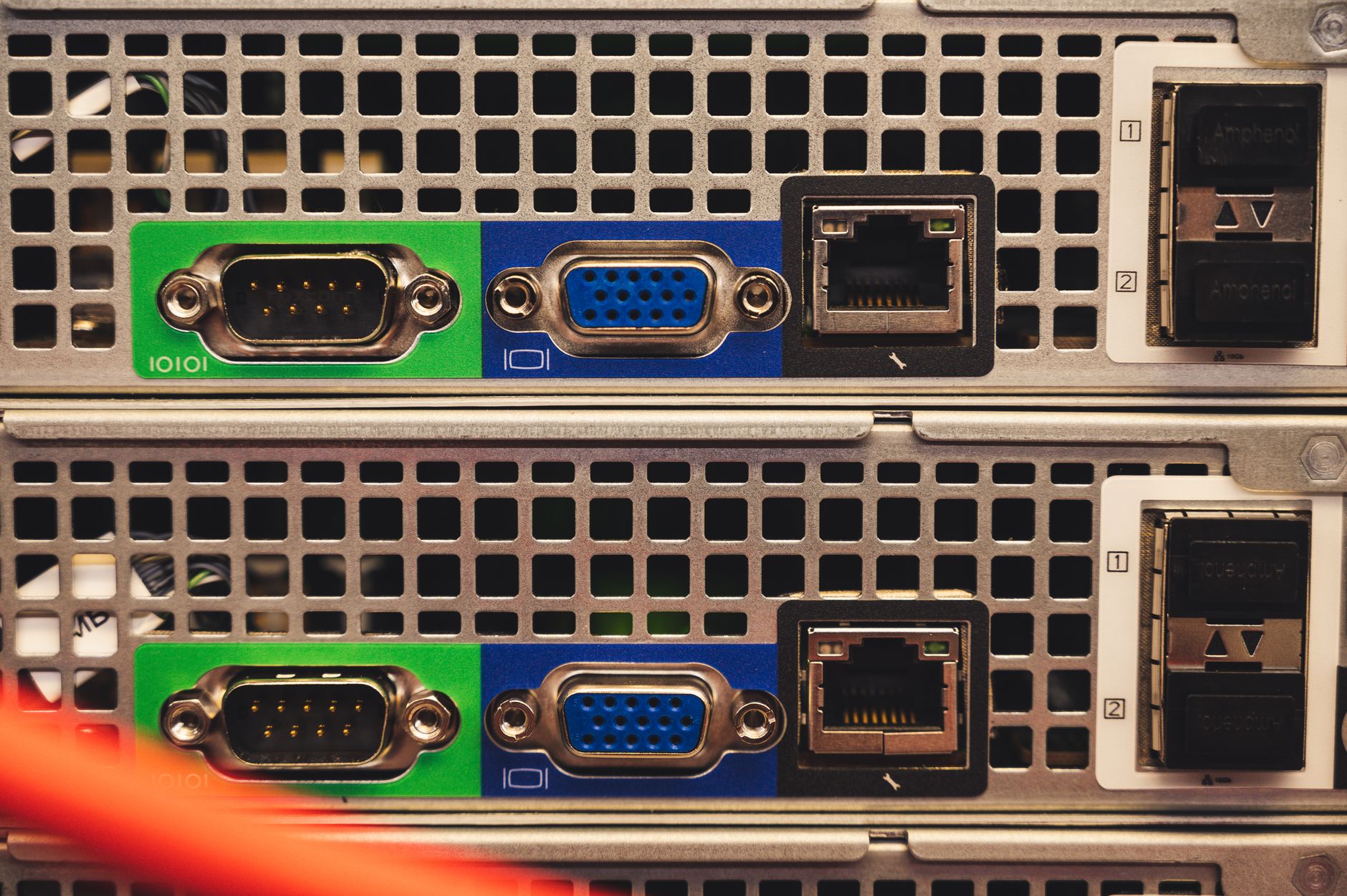
What Are Network Interface Cards NICs?
A NIC is the part of a computer or device that connects it to a network and lets it exchange data using network protocols. That can happen through an Ethernet jack, a Wi‑Fi radio, a USB adapter, or a built-in chip on the motherboard.
The catch: Without a NIC, a device cannot physically join most wired or wireless networks, which means no normal LAN access, no shared printers, and no Internet Protocol traffic. That is not a small limitation. It is the difference between a device sitting alone and a device taking part in a network.
The phrase "are network interface cards nics" sounds awkward, but the idea is simple: people use NIC as the short name for the network card or network adapter. A desktop tower might use an internal PCIe card, while a phone or laptop usually has the network hardware built in. The job stays the same in 2026 as it did years ago—create the link between the device and the network.
In plain terms, the NIC acts like a translator between the device’s inside language and the network’s outside rules. It handles the first step in communication, and that makes it part of every basic introduction to networking. A printer with a 1 Gbps Ethernet NIC can join a school lab network. A tablet with an 802.11ac or Wi‑Fi 6 adapter can join a wireless network from across a room. That is the whole point.
People sometimes treat NICs like boring hardware. I do not. A bad NIC can make a fast network feel slow, and a missing one stops the connection cold. For students, that makes NICs one of the most practical pieces of networking to understand.
A NIC does not just sit there. It gives the device a way to speak the network’s language at all.
Most modern devices use integrated NICs, but older PCs and some servers still rely on add-on cards. That matters because the form changes, yet the function stays steady: connect, identify, and exchange data.
How Do NICs Connect Devices To Networks?
A NIC connects a device by converting digital data into signals that travel over a cable or radio wave, then converting incoming signals back into data the operating system can use. On Ethernet, that usually means electrical signals over copper pairs; on Wi‑Fi, it means radio signals in the 2.4 GHz or 5 GHz bands, and newer gear also uses 6 GHz.
Inside that process, the NIC handles frames, not just random bits. It sends frames out to a switch or access point, then listens for frames coming back. The card also uses a MAC address, which works like a hardware ID at Layer 2 of the network stack. That address helps the local network know which device sent what. A NIC with a 48-bit MAC address can sit on a home network, a campus LAN, or a data center segment and still be identified cleanly.
Reality check: The NIC does not make routing decisions across the whole internet; it handles the local link, which is why Ethernet and Wi‑Fi feel different even when both reach the same website. A wired 1 Gbps NIC usually gives steadier latency than a wireless adapter in a crowded 2.4 GHz room. That is a real tradeoff, not a theory problem.
The card also supports send and receive timing, error checks, and link negotiation. A 1000BASE-T NIC and a switch can agree on speed and duplex settings before the transfer starts. That handshake matters because mismatched settings can drag performance down fast. Students who take an Introduction to Networking class often see this in packet diagrams before they ever open a case.
I like teaching NICs this way because the hardware suddenly stops looking abstract. You can point to the cable, the radio, the MAC address, and the frame, and the whole chain makes sense.
The NIC sits right at the edge of the device, where bits become network traffic and network traffic becomes usable data again.
Learn Introduction To Networking Online for College Credit
This is one topic inside the full Introduction To Networking course on UPI Study — a self-paced online class for college credit. Credit recommended by NCCRS; your college decides how credits transfer. Courses start at $250 with no deadlines and lifetime access.
Explore on UPI Study →Which NIC Types Should Students Know?
Students should know five NIC types because real devices use them in different ways. Some sit inside the machine, some plug in from outside, and some give you Wi‑Fi instead of Ethernet. That mix shows up in homes, labs, and offices every day.
- Wired Ethernet NICs use RJ‑45 ports and connect through copper cables. They often support 100 Mbps, 1 Gbps, or 10 Gbps links.
- Wireless Wi‑Fi adapters connect through radio signals instead of cables. They work well for laptops, tablets, and rooms where running Ethernet is a pain.
- Internal expansion cards, often PCIe cards, fit inside desktop computers. They suit upgrades when a machine needs faster speed or a new port.
- Built-in motherboard NICs come standard in most laptops and many desktops. They save space and cost less than buying an extra adapter.
- USB network adapters plug into a USB-A or USB-C port. They help when a built-in NIC fails or when a device needs a quick 1-port fix.
- Dual-port server NICs support 2 network links at once. Data centers use them for redundancy, load sharing, or separate traffic paths.
What this means: A student who can spot an RJ‑45 jack, a Wi‑Fi adapter, and a USB Ethernet dongle already understands more than many casual users do. That matters in labs, help desks, and basic troubleshooting.
Introduction to Networking often starts with these categories because they show the difference between form and function. A tiny USB adapter and a large server card can still do the same core job.
The tradeoff is simple. Wired NICs usually give better stability, while wireless NICs give easier mobility. Neither one wins every time.
Why Are NICs Essential In Networking?
NICs matter because they give each device a usable path into the network, and that path shapes speed, reliability, and access. A desktop with a 1 Gbps NIC can join a wired LAN, a laptop with a Wi‑Fi 6 adapter can reach the same network from across a room, and a printer with Ethernet can sit on a shared office line for 8 hours a day.
They also affect how a network feels in real life. A server with a better NIC can move more data with fewer drops. A smart camera with a weak wireless adapter may stutter when signal quality falls. A device that cannot match the network’s speed or medium simply does not perform well, even if the internet plan looks fast on paper.
Desktops, laptops, servers, printers, smart TVs, game consoles, and access points all depend on NICs. That list gets bigger every year. A 2024 office might use a 10 Gbps server NIC for storage traffic and a USB-C Ethernet adapter for a thin laptop that lacks a port. Same concept. Different hardware.
I think people underrate NICs because they hide behind the larger story of Wi‑Fi, routers, and cloud apps. That is a mistake. The NIC sits closest to the device, so it often decides whether the device joins the network cleanly or throws up a connection problem.
Students also meet NICs in troubleshooting. If the link light stays off, the cable can be bad, the port can be disabled, or the adapter can fail. Those are different fixes, and NIC knowledge helps you sort them fast.
How Should Students Study NIC Basics?
Students should be able to explain four things after one solid pass: what a NIC is, which types exist, how it moves data, and where it shows up in daily use. That sounds small, but a 30-minute lab or a 1-hour study block can turn a fuzzy term into a real working idea. A good answer names the device, the connection type, the data path, and the common use case without hand-waving.
- Spot wired vs. wireless NICs by looking for an RJ‑45 port or a Wi‑Fi radio.
- Match 1 Gbps, 100 Mbps, or 10 Gbps labels to speed and use case.
- Know that MAC addresses identify devices on a local network.
- Notice whether the NIC sits on the motherboard, in PCIe, or on USB.
- Connect NIC basics to an Introduction to Networking course or a transferable credit plan.
Worth knowing: Students who study networking for college credit often do better when they tie NICs to labs, not just reading. A 20-minute hands-on check of a laptop port, a desktop card, and a USB adapter teaches more than ten pages of notes.
One sharp way to study is to compare two devices side by side: a desktop with an internal NIC and a laptop with built-in Wi‑Fi. Ask what changes, what stays the same, and which part moves the data. That habit sticks.
If you want a clean next step, read a course outline, then map each NIC type to a real device you already use every week.
Frequently Asked Questions about Network Interface Cards
Check whether your computer has a wired port or built-in Wi‑Fi first, because that tells you which NIC it uses. A NIC connects your device to a network using an Ethernet cable, radio signals, or both, and it's the part that lets you send and receive data.
The most common wrong assumption students have is that every NIC means Wi‑Fi, but a NIC can also be a wired Ethernet card. In an introduction to networking, you'll see NICs in desktops, laptops, phones, printers, and servers, and the wired type often uses an RJ‑45 port.
This applies to anyone taking an introduction to networking course, but it doesn't require deep hardware skills if you only need basic computer use. You should know that NICs handle the link between your device and the network, while the router or switch moves traffic between devices.
What surprises most students is that a NIC doesn't just 'connect to the internet' by itself. It connects to a local network first, then your router, modem, or access point handles the path to the wider internet, which is why a laptop can have Wi‑Fi even with no cable plugged in.
Most students memorize the names and skip the job the card actually does, but it works better to tie each NIC to a use case. A desktop in a lab might use a wired PCIe card for speed and stability, while a tablet or phone relies on wireless hardware built into the device.
A NIC can move traffic at 100 Mbps, 1 Gbps, or 10 Gbps on common wired networks, so speed matters when you transfer large files or stream video. A faster NIC won't fix a slow internet plan, but it can remove a local bottleneck inside your network.
If you get NIC basics wrong, you'll mix up the device that connects you to the network with the gear that routes traffic, and that can cost you points on questions about Ethernet, Wi‑Fi, and IP setup. You'll also miss why a laptop can switch between wired and wireless connections.
NICs come in wired and wireless forms, and that's the main split you need to know. Wired NICs usually use Ethernet and an RJ‑45 port, while wireless NICs use Wi‑Fi radio bands such as 2.4 GHz and 5 GHz to connect without a cable.
Yes, exploring network cards NICs types and definitions often shows up in an online course tied to college credit. If you study online through an introduction to networking course, you can earn ACE NCCRS credit or transferable credit when the course sits inside a cooperating program.
A NIC is the hardware that lets your device join a network, and it can be built in, added by USB, or installed as an expansion card. In a lab, a wired NIC gives a stable connection; at home, a wireless NIC lets you move around without a cable.
NICs are essential because every device needs a way to turn data into signals the network can carry, whether over copper cable or radio waves. Without a NIC, your computer can't join Ethernet, Wi‑Fi, or most local networks at all.
Final Thoughts on Network Interface Cards
NICs are small, but they shape almost every network connection you touch. A computer, printer, server, or smart device needs some kind of interface hardware before it can join a LAN, send frames, or receive data in a usable form. That simple fact explains why NICs show up so early in networking classes and so often in troubleshooting. The main idea is easy to hold onto. Wired NICs use Ethernet cables. Wireless NICs use radio signals. Internal cards, motherboard chips, and USB adapters just change the shape of the same basic job. Once you see that pattern, the hardware stops feeling random. Students should also remember the tradeoff. Wired links usually give steadier speed and lower lag. Wireless links give mobility and convenience. Neither wins every time, and that honesty matters more than hype. If you are studying networking, start by naming the NIC type, the port or radio it uses, and the device it supports. Then connect that to speed, MAC addressing, and real devices like laptops and printers. That gives you a clean base for the next topic, whether you move on to switches, routers, or troubleshooting.
How UPI Study credits actually work
Ready to Earn College Credit?
Credit recommended by NCCRS · Self-paced · Your college decides how credits transfer · $250/course or $99/month (US)