
Routers and switches do different jobs in networking, and mixing them up causes a lot of bad buying choices. A router sends data between networks, like your home network and the internet, while a switch connects devices inside the same local network, like a laptop, printer, and desktop on one office floor. That split matters because the two devices make different decisions. A switch looks at local addresses and forwards traffic inside the LAN. A router looks at network addresses and picks the path from one network to another, often across a modem, an ISP, and several other hops. In a small home, one box sometimes does both jobs. In a larger office, you usually see them separated. If you want a clean introduction to networking, start here. Once you know the difference between routing and switching, the rest of the map makes more sense: Wi-Fi, Ethernet, subnets, VPNs, and even why one printer can talk to 12 devices on the same floor but not to the whole internet without help. That basic split also helps when you shop. A $30 switch and a $120 router do not solve the same problem, and buying the wrong one wastes time fast.
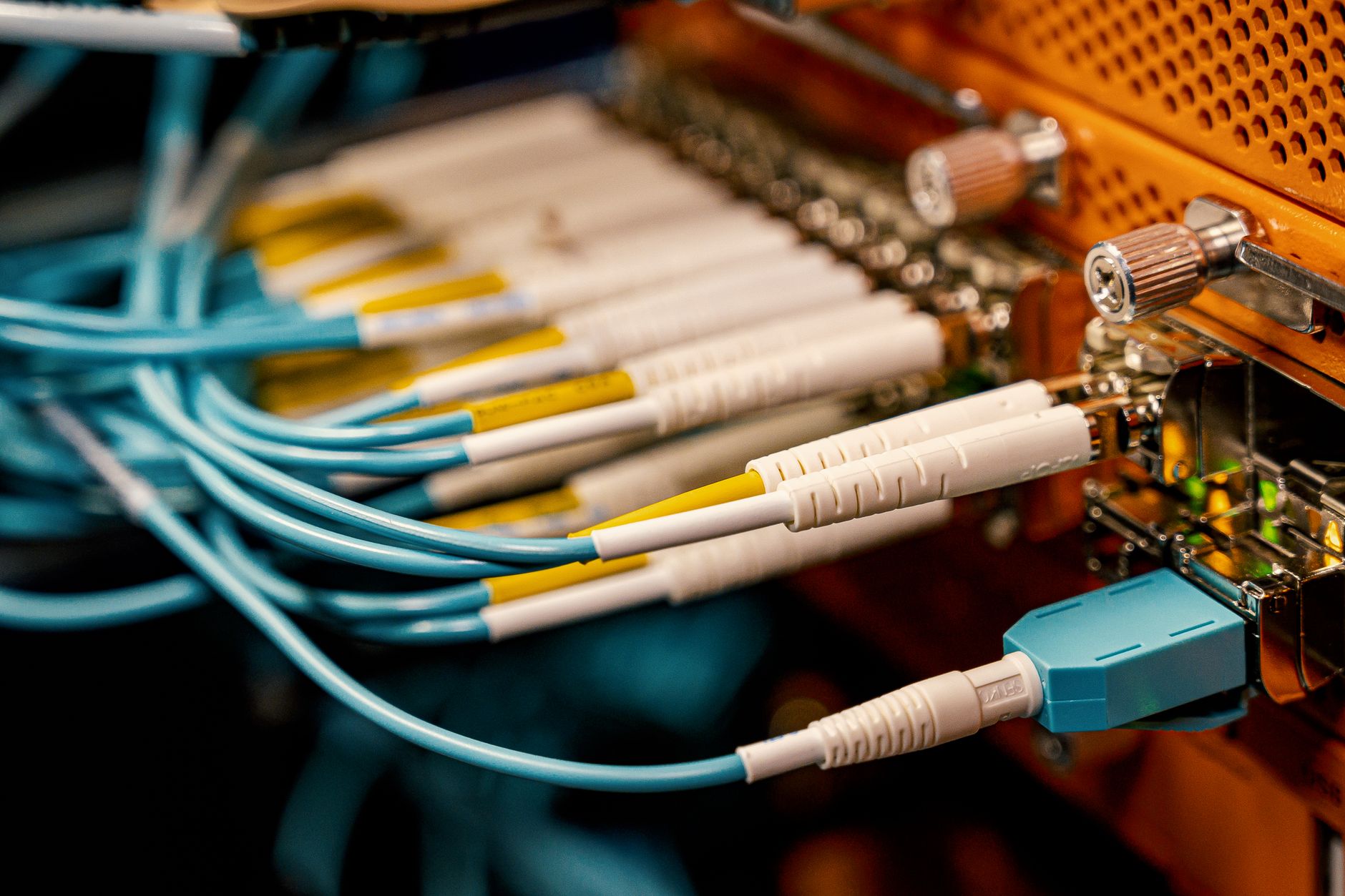
What Do Routers And Switches Do?
A router sends traffic between networks, and a switch moves traffic inside one network. That is the whole spine of routing and switching routers switches and the reason the two devices sit in different spots in a setup.
Think about a 2-floor office with 20 laptops, 3 printers, and 1 internet line. The switch keeps the 20 devices talking to each other on the local network, so a file can move from a laptop to a printer or a shared drive without leaving the building. The router stands at the edge and hands traffic to another network, like your internet service provider or a branch office. A switch cares about local delivery. A router cares about where the next network lives.
The packet rules differ too. Switches usually work with MAC addresses, which act like device labels on a LAN. Routers use IP addresses, which tell data how to cross from one network to another. That difference sounds small, but it changes everything. If you send a message to a printer on the same floor, the switch does the heavy lifting. If you open a website, the router takes over and pushes the request toward another network, often through a modem and then out across several internet hops.
The catch: A home router often includes a 4-port switch, so people assume the router does everything, but the switch part and the routing part still do separate jobs.
That split shows up in prices too. A basic unmanaged 8-port switch can cost around $20-40, while a home router with Wi-Fi and firewall features often costs more because it handles more than 1 task. The clean mental model is simple: switch for the same LAN, router for different networks. I like that model because it cuts through the marketing fog fast.
A switch can move traffic fast inside a room or building, but it cannot send packets to another network by itself. A router can reach other networks, but it cannot replace the extra ports a switch gives you when 6, 12, or 24 wired devices need a home.
How Do Routers And Switches Differ?
The comparison matters because people buy the wrong box when they confuse local traffic with internet traffic. A switch solves port shortage inside a LAN; a router solves path choice between networks, and that difference changes the whole setup.
| Feature | Switch | Router |
|---|---|---|
| Network scope | 1 LAN | 2+ networks |
| Main job | Connect devices | Move traffic between networks |
| Address type | MAC addresses | IP addresses |
| Common use | 8, 24, 48 ports | Home internet, office links |
| Traffic choice | Forwards inside LAN | Picks next network path |
| Best at | Fast local sharing | Routing, NAT, basic security |
What this means: A switch helps 10 devices on the same floor talk at once, while a router decides whether a packet stays local or leaves for another network.
The table also explains why a home office often needs both. A 24-port switch can feed wired PCs, printers, and a NAS, but only a router can hand those devices an internet path and usually a 192.168.x.x private network. The router often sits between the modem and the rest of the network, while the switch spreads the local connection out to more ports.
I think this is where beginners get stuck: they treat routers like smarter switches. That misses the point. A router thinks in routes and boundaries. A switch thinks in ports and local delivery.
How Do Routers And Switches Work Together?
A simple network path starts with a device, hits a switch, and reaches a router only when the data must leave the local network. In a 12-device home setup, a laptop sending a file to a printer on the same LAN usually stays inside the switch, while a web request goes from the switch to the router and then to the internet.
That split keeps local traffic quick. A printer job does not need to travel through the modem or out to the ISP, so the switch handles it in milliseconds on Ethernet links rated at 1 Gbps or 2.5 Gbps. Internet traffic follows a longer path. The router reads the packet’s destination IP address, picks the next hop, and sends it toward another network. The switch never needs to know where the website lives.
Reality check: Many small routers include a 4-port switch, so the same plastic box can sit on a desk and do both jobs at once.
In a home setup, the order often looks like modem → router → switch → laptop, desktop, printer, or game console. Add Wi-Fi, and an access point may sit beside the switch or plug into it. A firewall may live inside the router, or a separate firewall appliance may sit between the router and the internal network in a 20-user office. That matters because the router usually faces the outside world, while the switch stays on the inside and expands wired access.
The cleanest way to picture it is this: the switch spreads devices around the room, and the router gets them out of the room. I like that split because it matches real cable runs, not classroom jargon.
A larger office may use 2 switches, 1 router, and 1 access point for each floor, especially when people need both wired speed and wireless coverage. The devices cooperate, but they do not do the same job.
Learn Introduction To Networking Online for College Credit
This is one topic inside the full Introduction To Networking course on UPI Study — a self-paced online class for college credit. Credit recommended by NCCRS; your college decides how credits transfer. Courses start at $250 with no deadlines and lifetime access.
Browse Networking Course →When Should You Use A Router?
A router becomes necessary the moment you need 2 networks to talk, and that shows up fast in real life. Even a small setup with 1 modem, 1 home LAN, and 1 guest Wi-Fi network already asks for routing, not just switching.
- Use a router when you need an internet connection. The router sits between your LAN and the ISP, and it usually handles NAT for 192.168.x.x or similar private addresses.
- Use a router when you want to separate networks, such as guest Wi-Fi, staff devices, or 2 office subnets. A switch alone keeps everything in one local group.
- Use a router when you need basic security rules. Many home routers block unwanted inbound traffic by default and add firewall controls in under 1 minute of setup.
- Use a router when you have more than 1 network segment. A branch office with 3 subnets needs routing so traffic can move across them cleanly.
- Use a router when the modem only hands out one internet path. Without routing, 5 or 50 devices cannot share that connection in a normal home or office layout.
- Skip the switch-only idea if you need IP address management. The router often gives out addresses through DHCP, which saves manual setup on every laptop and phone.
Bottom line: If your problem involves the outside world, multiple subnets, or security rules, a router belongs in the design.
A switch may still sit beside it, but it will not replace the router’s job. That is the hard line people miss.
When Should You Use A Switch?
A switch makes sense when you need more wired ports on the same LAN, and that need shows up in homes, classrooms, and small offices all the time. If you have 1 router with 4 ports and 7 wired devices, a switch solves the shortage without changing the network design.
Switches also cut down on the mess that comes from daisy-chaining devices. One cheap 5-port hub-style setup can slow local traffic and create weird bottlenecks, while a proper 8-port or 24-port switch gives each device a cleaner path. That matters for file sharing, printer access, and local backups, where speed inside the building often matters more than speed to the internet. A 1 Gbps switch can move a lot more local traffic than a single overloaded port on a router.
Worth knowing: Managed switches cost more than unmanaged ones, but they give you VLANs, port control, and traffic tools that matter once a network grows past 10 or 15 devices.
Unmanaged switches work fine for simple setups. They need almost no setup and suit a small room with 4 to 8 devices. Managed switches fit better in larger offices, labs, and multi-floor buildings because they let you shape traffic, split groups, and watch performance. I prefer managed gear once a network starts mixing staff PCs, printers, cameras, and access points, because that mix gets messy fast.
A switch wins when the job stays local. It adds ports, keeps traffic inside the LAN, and lets multiple devices talk at the same time without making the router do all the work.
Why Learn Routing And Switching Basics?
Routing and switching basics help in a 30-minute introduction to networking course because they explain almost every common home and office problem. If you know which box moves traffic across networks and which box serves devices on the same LAN, you can fix slow printing, bad cable runs, and confusing internet drops faster than someone guessing at random.
That knowledge also makes buying less painful. A $25 switch and a $100 router solve different problems, so you stop paying for features you do not need. It also gives you a base for college credit pathways, online course study, and transferable credit plans built around NCCRS-style study options, where the network idea matters more than the brand on the box.
- Fix a dead printer faster when you know the switch handles local device traffic.
- Spot a bad router choice before you buy the wrong 4-port box for 12 devices.
- Make smarter upgrades when a 24-port switch fits better than another Wi-Fi extender.
- Build a cleaner path for study online plans that can lead to college credit or transferable credit.
What this means: The basics pay off in 3 places: troubleshooting, shopping, and later coursework.
That mix makes the topic worth learning even if you never touch a data center. The concepts stay small, but they show up everywhere.
Frequently Asked Questions about Networking Basics
The most common wrong assumption is that routers and switches do the same job, but they don't: a switch connects devices inside one local network, while a router moves traffic between different networks. In a home network, your laptop, printer, and smart TV usually sit on one switch or Wi‑Fi access point, then the router links that local network to the internet.
A switch keeps traffic inside one network, and a router sends traffic out to another network, like from your home LAN to your ISP. A switch usually works with device addresses on Layer 2, while a router looks at IP addresses on Layer 3. That's the core split in routing and switching routers switches and their jobs.
Most students try to memorize device names first, but what actually works is tracing one packet from a laptop to a website and watching where the switch hands it off to the router. That 2-step path makes an introduction to networking course feel real instead of abstract.
Start by asking whether the devices need to talk inside one local network or across different networks. If you need 8 office computers, a printer, and a file server to share traffic on the same LAN, you use a switch; if you need that LAN to reach another network, you add a router.
This applies to anyone taking an introduction to networking or a home lab class, not to someone only using a phone on public Wi‑Fi without any setup work. If you're building a lab, studying online, or trying to earn college credit through an online course, routers and switches become part of the basic vocabulary.
Routers move traffic between networks, and switches connect devices within the same network. The caveat is that modern gear can blur the line: many home routers include a built-in 4-port switch, so one box can do both jobs at once.
What surprises most students is that a switch often sends traffic only to the right port instead of blasting it to every device, while a router makes the bigger decision about which network the packet should leave through. That difference matters in networks with 10 devices or 10,000.
If you mix them up, you can place devices in the wrong spot, slow down a LAN, or make a network unreachable across subnets. In a class that offers ace nccrs credit, that mistake can also break packet-tracing labs and cost you points on routing questions.
Yes, they work together all the time: a switch connects your devices on one LAN, and the router links that LAN to other networks, including the internet. In a school lab, a 24-port switch can feed one router, and that router can then connect several subnets.
You study online because a good online course can show routing tables, switch ports, and packet paths with screenshots and practice labs. If that course also offers transferable credit, you can use the class for both skills and a transcripted result.
Routing decides where traffic goes between networks, and switching decides which device gets the frame inside one network. If you want a simple memory trick, think of a switch as a hallway inside a building and a router as the door between buildings.
Final Thoughts on Networking Basics
Routers and switches solve different problems, and that difference shapes almost every network you see. A switch keeps local devices talking on the same LAN, while a router moves traffic between networks and usually handles the handoff to the internet. Once you hold that line in your head, a lot of confusing gear starts to make sense. The mistake people make most often is buying for the wrong job. They want more ports, but they buy a router. They want internet access, but they buy a switch. That mismatch costs money and time, and it shows up fast in homes with 6 devices or offices with 60. A router handles paths. A switch handles ports. That split does not change just because a box has a fancy label. If you keep learning, try to map every device you see to one of those jobs. Ask where the traffic starts, where it stays local, and where it leaves for another network. That habit will help with Wi-Fi gear, printers, access points, and later topics like subnets and firewalls. Start with one cable run, one printer, and one router, then build from there.
How UPI Study credits actually work
Ready to Earn College Credit?
Credit recommended by NCCRS · Self-paced · Your college decides how credits transfer · $250/course or $99/month (US)