
A telecommunications system moves information from one place to another through a sender, a signal, a transmission medium, a receiver, and agreed rules. That is the whole core idea. Not the device alone. Not the network alone. Students often miss that and treat telecom like one gadget or one internet line. That mistake breaks the picture fast. A phone, a router, a fiber line, and a protocol like TCP all play different parts, and each one matters if you want data to arrive intact. In a 5G call, a message, a video stream, or a campus network login, the flow still starts with a source, gets encoded, travels across copper, fiber, radio, or satellite, and ends when a receiver decodes it. If you are taking an introduction to networking course, this topic sits near the center of the first unit because it teaches you how communication actually works. Once you can name each element, you can read network diagrams with less guesswork and spot where a failure happened. A broken cable, a weak signal, or bad formatting all point to different problems. That difference matters in labs, exams, and real systems. A telecom setup only works when the parts line up in the right order, with the right rules, at the right time.
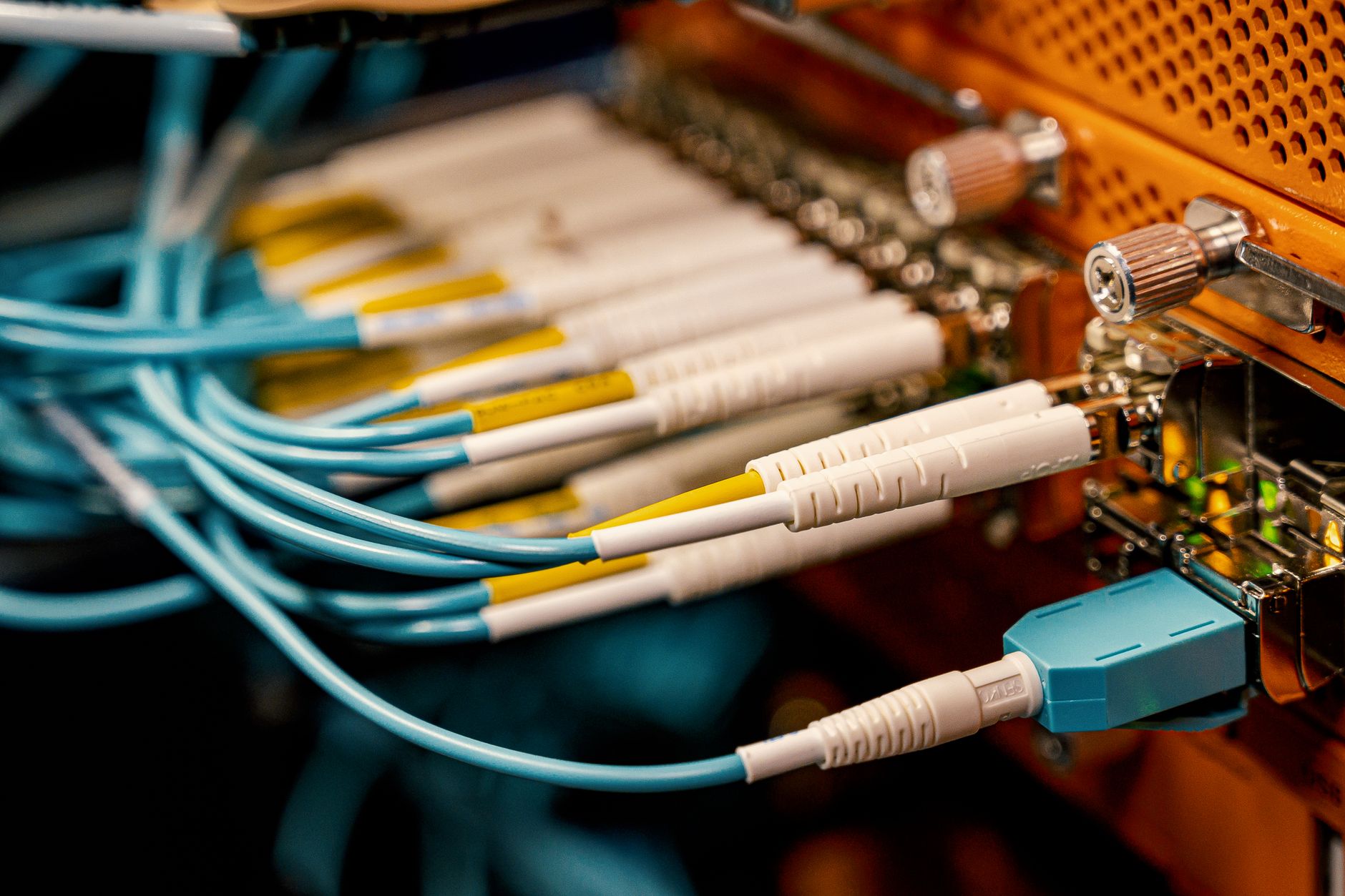
What Are The Elements Of A Telecommunications System?
A telecommunications system is the full path that carries information from one point to another, and it includes at least 5 parts: sender, signal, transmission medium, receiver, and protocols. That is why a laptop, a phone tower, or a fiber line by itself does not count as the whole system.
The catch: The most common student mistake is thinking telecom means only the internet or only the device in your hand, but a system needs coordinated pieces that work together during every 1-second exchange of data. A sender creates the message, a signal carries it, a medium moves it, a receiver collects it, and protocols keep the exchange orderly.
This idea shows up in every network class because the same structure appears in a home Wi-Fi call, a hospital data link, and a 2024 campus network. A message without a receiver goes nowhere. A receiver without a signal gets nothing. A cable without rules still fails if the endpoints cannot agree on timing, format, or addressing.
I like this definition because it cuts through the hype. Telecom looks flashy on the surface, but the parts are plain. You can name them. You can trace them. You can test them.
A student who can identify those 5 elements can read a simple system diagram and tell whether the weak point sits at the source, the channel, or the rules layer. That skill beats memorizing brand names or device models every time.
How Do Sender, Signal, And Receiver Work?
The sender creates the message, turns it into a signal, sends it across a medium, and the receiver turns it back into usable data. That flow sounds simple, but the details matter because a 0 and 1 on a screen still need encoding, timing, and a path that can carry them.
In a digital call, the sender may be a smartphone, a laptop, or a server in a data center. In an analog setup, the sender can produce a continuous wave, like the kind used in older voice systems. Digital signals use distinct values, while analog signals vary smoothly across a range, which means noise affects them differently. Digital systems can correct some errors; analog systems often show distortion more directly.
Reality check: A signal does not stay perfect for 10 meters, let alone 10 kilometers. Copper can add electrical noise, long radio paths can weaken, and fiber can still suffer from bad splices or dirty connectors. The message may arrive, but it may arrive damaged, delayed, or out of sync.
The receiver has its own job. It does not just “get” data. It detects the signal, interprets the pattern, and rebuilds the original information as text, voice, video, or packets. That step matters because the receiver can only decode what the sender encoded in a compatible way.
That is why telecom feels more like translation than transport. The system keeps turning meaning into signals and signals back into meaning, and that part impresses me more than the hardware itself.
Which Transmission Media Carry Telecom Signals?
A transmission medium is the path a signal uses, and students should know at least 4 common types: copper, fiber, radio, and satellite. The tradeoffs show up fast in speed, distance, interference, and cost, which is why no single medium wins every job.
- Copper cable carries electrical signals and still works in many buildings, but it picks up more noise than fiber.
- Fiber-optic cable moves light pulses and can run for many kilometers with very high bandwidth.
- Radio waves support Wi-Fi, cellular, and Bluetooth, which makes them flexible but easier to disrupt.
- Satellite links cover huge distances, including remote areas, yet they add noticeable delay because signals travel far.
- Coaxial cable still appears in some broadband and TV systems, though newer networks often prefer fiber for speed.
- Worth knowing: A short 100-meter copper run can perform fine in a building, while a 100-kilometer backbone usually needs fiber or microwave.
- Introduction to Networking lines up well with these media because it shows how physical paths shape data flow.
Learn Introduction To Networking Online for College Credit
This is one topic inside the full Introduction To Networking course on UPI Study — a self-paced, online class that earns real college credit. Credits are ACE and NCCRS evaluated and transfer to partner colleges across the US and Canada. Courses start at $250 with no deadlines and lifetime access.
Explore on UPI Study →Why Are Protocols Essential In Telecom Systems?
Protocols are the shared rules that let devices communicate, and they cover formatting, addressing, timing, error handling, and synchronization. Without them, two devices can both work and still fail to understand each other, which is a messy little truth students learn the hard way.
Think about TCP/IP, Ethernet, Wi-Fi, and HTTP. Each one handles a different layer of the exchange, from how a packet looks to how a device finds the right destination. A sender and receiver can share the same cable or the same airspace and still fail if they use different rules. That mismatch happens more often than beginners expect, especially in mixed vendor networks from Cisco, Huawei, or Juniper.
Bottom line: Hardware gives you the road, but protocols write the traffic rules for every 1-byte or 1-gigabyte transfer. They tell devices when to speak, how to label the message, and what to do when a packet gets lost.
Protocols also help with error control. A network may resend dropped data, verify checksums, or break a large file into smaller pieces before delivery. That process keeps communication stable over short links and long ones, from a 2-meter cable run to a cross-country backbone.
This part of telecom looks boring until it breaks. Then it becomes the whole story.
How Do The Elements Work Together In Networking?
A complete communication path starts when a sender creates data, then a protocol package shapes it, then a medium carries it, and then a receiver rebuilds it. That sequence shows up in a 2025 classroom lab, a home video call, and a company network trace, which is why an introduction to networking course treats it as basic literacy. If you can trace the 4-step flow, you can spot where a problem sits instead of guessing. That skill also helps when you study online for college credit or look at transferable credit, because you can describe the process clearly instead of just naming devices.
- Sender: creates the message at the source.
- Signal: turns data into a form the medium can carry.
- Medium: moves the signal across 1 meter or 1,000 kilometers.
- Receiver: decodes the message at the destination.
- Protocols: keep timing, addressing, and error checks in line.
Introduction to Networking gives you a clean way to practice that flow, and Fundamentals of Information Technology adds the broader tech context that makes the terms stick. You can use the same checklist on a lab diagram, a phone call, or a packet trace.
What this means: If you can point to each element in 30 seconds, you are not guessing anymore; you are reading the system like a map.
Students who treat networking as pure memorization usually hit a wall by chapter 3. Students who trace sender, medium, receiver, and protocol usually move faster and make fewer dumb mistakes.
What Misconception About Telecommunications Systems Confuses Students?
The biggest misconception is that the transmitter or the internet connection alone counts as the whole telecommunications system, but that view leaves out at least 4 other parts. A working system needs a sender, a signal, a medium, a receiver, and protocols acting together, not one hero device doing all the work.
This mistake shows up a lot in 1st-year networking classes because students see a router, a modem, or a 5G icon and stop there. That shortcut fails in real life. A signal can exist without reaching the right receiver. A receiver can exist without decoding the signal. A protocol can fail even when the cable and hardware look fine.
The fastest test is simple: ask whether you can name who sent the data, what form it took, what path it used, who received it, and what rules controlled the exchange. If one of those pieces is missing, the scenario does not describe a complete telecommunications system.
Network and System Security helps with this mindset because it trains you to look for weak points, and Introduction to Networking helps you map the full chain from source to destination. The system only makes sense when you see all the parts at once, and that habit pays off on exams and in labs.
Frequently Asked Questions about Telecommunications Systems
What surprises most students is that a telecom system has only a few core parts: sender, transmission medium, receiver, signals, and protocols. You send data from a source, move it across copper, fiber, or radio waves, then use rules like TCP/IP or Ethernet so the other side can read it.
The sender creates the message and turns it into a signal, usually as bits, voice, or video. A phone, laptop, router, or IoT sensor can act as the sender, and the signal has to match the medium and the protocol or the receiver won't understand it.
Start by tracing where the data travels, because the transmission medium is the path between sender and receiver. That path can be twisted-pair copper, coaxial cable, fiber-optic cable, or wireless radio, and each one changes speed, noise, and distance limits.
Most students memorize the terms, but what actually works is mapping the flow: source, signal, medium, receiver, and protocol. In an introduction to networking course, that 5-part chain helps you spot where data breaks, especially in Wi‑Fi, Ethernet, and mobile networks.
This applies to anyone taking an introduction to networking course, studying for college credit, or using an online course that offers ace nccrs credit; it doesn't help much if you're only learning basic app use with no network work. You still need the sender-to-receiver flow, because every real network uses it.
1 signal does 2 jobs: it carries the message and fits the channel. Analog signals vary smoothly, while digital signals use discrete 0s and 1s, and that difference matters in study online labs where you compare voice, text, and video traffic.
If you get the receiver or protocol wrong, the message lands as noise, drops, or garbage data. A device may get the bits but still fail to read them if it expects IPv4 and gets IPv6, or if the framing doesn't match Ethernet rules.
The most common wrong assumption is that the cable or Wi‑Fi signal does all the work by itself. It doesn't; without sender, receiver, signals, and protocols working together, even a fast 1 Gbps link can't move usable data from point A to point B.
The sender encodes data, the medium carries it, and the receiver decodes it while protocols keep the exchange in order. In a voice call, your phone samples speech, sends packets across the network, and the other phone reassembles them in the right sequence.
An introduction to networking course usually ties the elements to real tasks like packet flow, signal types, and network rules, which is the kind of material schools use for transferable credit. You usually see 3 core layers at minimum: device, channel, and control rules.
Protocols matter because they tell devices 4 things: how to start, how to send, how to check errors, and how to end the exchange. TCP, UDP, and Ethernet handle different parts of that job, so the sender and receiver stay in sync across the network.
Final Thoughts on Telecommunications Systems
A telecommunications system looks bigger than it is until you break it into parts. Then the pattern gets clear fast. A sender creates information. A signal carries it. A medium moves it. A receiver rebuilds it. Protocols keep the whole exchange from falling apart. That simple chain helps in more than one class. It helps you read network diagrams, answer exam questions, and explain why one setup works while another fails. It also stops the common mix-up where students treat a router, a phone, or an internet line as the whole system. Those pieces matter, but they do not act alone. A network only works when the parts line up and the rules match. Keep this test in your head: source, signal, path, destination, rules. If you can name all 5 in a real example, you understand the system. If you can only name 2 or 3, you still have gaps. That honest check saves time later, because weak understanding shows up fast in packet traces, lab work, and multiple-choice tests. Use that checklist the next time you study a network diagram or watch data move across a screen. The names stay simple, but the flow tells the real story.
How UPI Study credits actually work
Ready to Earn College Credit?
ACE & NCCRS approved · Self-paced · Transfer to colleges · $250/course or $99/month