
Virtual LANs, or VLANs, let one physical switch act like several separate networks. That means a school can keep staff, student, and guest traffic apart even if all three groups plug into the same hardware. The switch still sits in one closet. The traffic does not. A VLAN works by putting devices into logical groups. The switch tags frames so it knows which broadcast domain each packet belongs to, and devices in different VLANs stay separated unless a router or Layer 3 switch steps in. That is the heart of the idea, and it sounds simple because it is simple once you strip away the jargon. People ask about virtual LANs and why use them because the name sounds abstract, but the payoff feels very concrete. You get less broadcast noise, cleaner security boundaries, and less chaos when you manage 30, 300, or 3,000 endpoints. A finance printer does not need to sit in the same network space as a guest tablet. A lab PC does not need the same open path as a payroll laptop. You will also hear confusion from old notes or bad search results, including phrases like understanding virtual bad definitions and. Ignore the noise. VLANs belong in the introduction to networking because they teach one of the first big ideas in the field: one cable plant can hold several logical networks at once. Once that clicks, the rest of network segmentation stops feeling mysterious.
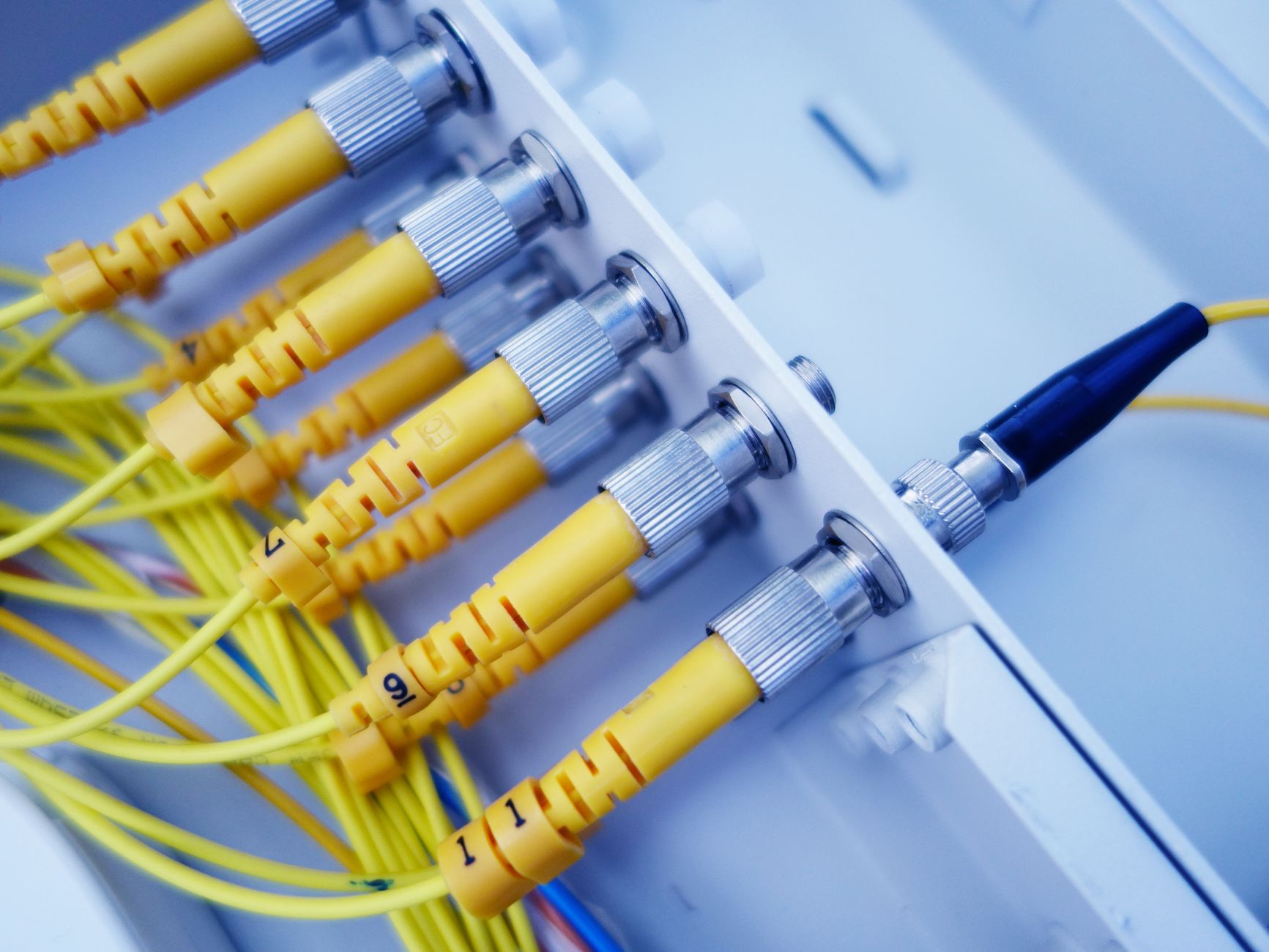
What Are Virtual LANs in Networking?
A VLAN is a logical network built on top of a physical switch, and it lets 1 switch behave like 2, 5, or 20 separate networks without new cables or extra hardware.
Each VLAN creates its own broadcast domain, which means a broadcast from VLAN 10 stays inside VLAN 10 instead of flooding every port on the switch. The switch uses 802.1Q tags on Ethernet frames to keep traffic sorted, and that tag carries the VLAN ID, such as 10 or 20.
The catch: The hardware does not change much, but the network behavior changes a lot. A port on the same 24-port switch can belong to VLAN 10 while the port next to it belongs to VLAN 20, and the two devices act like they sit on different networks.
That is why VLANs feel so useful in the real world. One building can run staff, student, guest, and voice traffic on the same Cisco or Aruba switch stack, yet each group gets its own logical space. You do not need four separate switch closets to get four separate network zones.
People often picture VLANs as a fancy lab trick, and I think that misses the point. A VLAN is just a cleaner way to slice a physical network into smaller parts, which is a much smarter use of gear than buying extra switches for every little group.
A downside shows up fast if the tags or port settings go wrong. One mistyped VLAN ID can strand a device, and that kind of mistake can waste 15 minutes or 2 hours during setup, depending on how big the network is.
Why Do Administrators Use Virtual LANs?
Administrators use VLANs for 3 big reasons: security isolation, less broadcast traffic, and simpler control over users and devices across 1 network fabric.
Security comes first. If guest Wi-Fi sits in VLAN 30 and payroll PCs sit in VLAN 40, the guest devices cannot freely talk to the payroll devices just because they share a switch. That separation matters in offices, schools, hospitals, and small labs, because one bad device should not see everything else.
Reality check: VLANs do not replace firewalls or good passwords, and that is the part people skip when they get excited. A VLAN blocks layer-2 chatter, not every attack.
Performance gets better because the switch sends broadcasts only where they belong. On a 48-port access switch, cutting one noisy broadcast domain into 3 smaller ones can make the network feel less crowded, especially when printers, phones, and lab desktops all sit on the same floor.
Management gets easier too. A district can place 12 teacher laptops in one VLAN, 8 VoIP phones in another, and 25 student Chromebooks in a third, then move them later without rewiring the whole room. That kind of order saves time during semester starts, office moves, and device refreshes.
I like VLANs because they solve a boring but real problem. They give admins a sane way to group traffic by job, room, or risk level, and boring tools often do the best work.
If you are reading a course page like Introduction to Networking, VLANs usually show up right after switching basics and before routing, because the idea fits right into day-to-day admin work.
How Do Virtual LANs Separate Devices?
Two PCs can sit on the same switch and still act like strangers. Put one in VLAN 10 and the other in VLAN 20, and the switch keeps their broadcasts in separate boxes unless a router or Layer 3 switch bridges the gap.
- PC A joins VLAN 10 on port 5, and PC B joins VLAN 20 on port 6. The switch reads the port settings first, before it forwards a single frame.
- PC A sends a broadcast, and the switch keeps that traffic inside VLAN 10. PC B never sees it, even though both PCs share the same 24-port switch chassis.
- PC B sends its own frame, and VLAN 20 gets it alone. That split can happen in under 1 second on a healthy network, which is why VLANs feel immediate.
- If PC A needs to reach PC B, a router or Layer 3 switch must route between VLAN 10 and VLAN 20. Without that step, the two devices stay separated by design.
- A misassigned port breaks the pattern fast. If the admin puts PC A on VLAN 20 by mistake, the device lands in the wrong broadcast domain and the help desk can lose 30 minutes or more fixing it.
- Trunk ports carry multiple VLANs between switches, while access ports usually carry 1 VLAN for an end device. That difference matters on every uplink between a closet switch and a core switch.
What this means: The separation happens in software rules and frame tags, not in the plastic box itself. That is why one switch can act like 2 networks, 5 networks, or more without changing the metal.
Learn Introduction To Networking Online for College Credit
This is one topic inside the full Introduction To Networking course on UPI Study — a self-paced online class for college credit. Credit recommended by NCCRS; your college decides how credits transfer. Courses start at $250 with no deadlines and lifetime access.
Explore on UPI Study →Which Real-World VLAN Example Makes Sense?
A community college with 1 switch closet can use VLANs to split classrooms, faculty offices, and guest Wi-Fi without buying three separate networks.
Picture a 2-floor building with 40 student PCs in labs, 15 faculty laptops, and a guest SSID for visitors. The IT team can place lab machines in VLAN 10, staff devices in VLAN 20, and guest traffic in VLAN 30, all on the same switch stack. The gear stays the same, but the traffic stops mixing.
That setup makes lab testing cleaner too. A student in an online Introduction to Networking course can watch one physical switch carry several logical networks, then map that lesson to a real campus room with 24 ports, 1 trunk uplink, and 3 separate VLANs. That is not just theory. It mirrors the kind of switch work people see in entry-level help desk and admin jobs.
Worth knowing: This is where practical network study feels real. A learner who studies online and earns transferable credit gets a cleaner bridge from class notes to actual switch configs, and the VLAN example sticks because it looks like a real building, not a toy diagram.
I prefer campus examples because they show why VLANs beat flat networks. A flat 50-device network turns into a mess fast, while 3 VLANs give you cleaner control over printers, phones, and guests without needing 3 separate cable runs.
You can also tie this to Network and Systems Security if you want to see how segmentation and access control work together on the same switch fabric.
What Should You Know Before Setting Up VLANs?
A solid VLAN setup usually starts with 4 basics: VLAN IDs, port type, tagging, and routing. Miss one of them, and the network behaves like a puzzle with 1 missing piece.
- Use clear VLAN IDs like 10, 20, and 30. Random numbering gets ugly fast once a switch stack grows past 12 ports.
- Access ports usually carry 1 VLAN for end devices. Trunk ports carry multiple VLANs between switches or to a router.
- 802.1Q tagging marks frames so the switch knows which VLAN owns them. That tag rides with the frame across the trunk link.
- Inter-VLAN routing lets VLAN 10 talk to VLAN 20 when you need it. Without routing, the separation stays strict by design.
- Misassigned ports cause more trouble than most people expect. One bad port setting can break printer access, Wi-Fi access, or a classroom lab in 5 minutes.
- VLANs do not replace firewalls, access lists, or endpoint rules. A device in VLAN 40 can still cause trouble if the rest of the controls stay weak.
Bottom line: VLANs work best when you treat them like a clean wiring plan for logic, not like a magic shield.
If you want a broader intro to network basics, Fundamentals of Information Technology usually gives you the wider context around switches, IP addresses, and traffic flow before you start building VLANs yourself.
How UPI Study Fits
One network lesson can cover 3 useful layers at once: switching, segmentation, and routing, and that matters if you want college credit instead of just a random video certificate.
UPI Study offers 90+ college-level courses, and all of them carry an NCCRS credit recommendation, and some carry ACE too, which gives the credit a clear academic shape. You can study online at your own pace, and the platform uses a simple pricing setup: $250 per course or $99 per month for unlimited access. No deadlines. No clock pressure.
That fit works well for someone who wants a practical course like Introduction to Networking and also wants transferable credit that the 2,100+ colleges cooperating with ACE and NCCRS will consider (final decision is with universities). UPI Study keeps the path direct. You learn the VLAN basics, you practice the ideas, and you keep the work tied to a real college-level record.
I like this model because it matches how network admins learn in the field. They do not wait for perfect timing. They study a topic, use it in labs, and move on to the next one. UPI Study follows that same rhythm, and UPI Study credits stay aligned with ACE and NCCRS standards rather than loose internet badges.
A learner can pair this with another course and still keep the schedule flexible, which matters if they work 20 hours a week or take 2 classes already. The structure feels steady, and that beats cramming a whole systems topic into one weekend.
Frequently Asked Questions about VLANs
If you get VLANs wrong, devices that should stay apart can share the same broadcast traffic, and that can expose data, waste bandwidth, and break access rules across a switch or a 24-port stack. A bad VLAN setup also makes tracing problems harder because traffic crosses the wrong 802.1Q tags.
The most common wrong assumption is that a VLAN needs separate hardware, but a VLAN splits one physical network into separate logical broadcast domains on the same switches. You use VLANs to keep finance, guest Wi‑Fi, and lab devices apart, even on the same 48-port switch.
This applies to anyone taking an introduction to networking course or an online course that covers switching, and it doesn't apply if you're only learning basic home Wi‑Fi with no managed switch. In college credit classes, VLANs usually show up with terms like broadcast domain, trunk port, and access port.
Most students memorize the VLAN definition and stop there, but what actually works is mapping one switch, 3 VLANs, and 1 trunk link on paper before touching the config. You learn faster when you connect the idea to real ports, tags, and VLAN IDs like 10, 20, and 30.
What surprises most students is that devices on the same physical switch can still stay isolated if they sit in different VLANs, because the switch treats each VLAN as its own broadcast domain. A PC in VLAN 10 can't talk straight to a printer in VLAN 20 unless a router or Layer 3 switch routes between them.
Start by drawing one switch, two VLANs, and one router link, then label which ports belong to each group before you learn the commands. That simple map helps when you study online for ACE NCCRS credit in an introduction to networking path.
A VLAN separates traffic, cuts broadcast noise, and makes network rules easier to manage. That said, it doesn't stop bad design on its own, because you still need correct routing, ACLs, and port settings on the switch.
$0 is the extra hardware cost in many setups, because you can create multiple VLANs on the switches you already own. That matters in schools, offices, and labs where 2 or 20 groups need different access rules without buying another switch for each group.
VLANs improve security by keeping devices in separate groups, so a guest laptop on VLAN 50 can't reach payroll systems on VLAN 10 unless you allow it. You still need strong passwords and firewall rules, but VLANs give you a clean first layer of separation.
Administrators use VLANs because they cut down broadcast traffic and make moves, adds, and changes easier on a 100-user or 1,000-user network. You can place 15 classroom PCs in one VLAN today and move them tomorrow without rewiring the whole building.
Final Thoughts on VLANs
VLANs solve a plain problem with a smart trick: they let one physical network act like several separate ones. That matters because most real networks mix people, devices, and jobs in one building, not in one neat textbook diagram. If you remember only 3 things, make them these. A VLAN creates a separate broadcast domain. Devices in different VLANs stay apart unless routing connects them. Administrators use VLANs to cut noise, tighten control, and keep a switch closet from turning into a mess. The clean part of VLANs also hides the catch. Good segmentation needs careful port settings, solid naming, and a plan for inter-VLAN routing. Skip those, and the network turns brittle fast. That is why VLANs reward careful admins and punish sloppy ones. A flat network can work for a tiny office with 4 machines. Once you reach classrooms, guest Wi-Fi, phones, printers, or 40-plus users, VLANs stop looking fancy and start looking normal. That is the honest truth. If you want to keep learning, start with one small switch example, label 2 VLANs, and trace one frame from port to port until the pattern makes sense.
How UPI Study credits actually work
Ready to Earn College Credit?
Credit recommended by NCCRS · Self-paced · Your college decides how credits transfer · $250/course or $99/month (US)