
VLANs are virtual LANs that let one physical switch act like several separate networks. That means 20 laptops in one office can sit on one switch but still stay in different groups for security, traffic control, or simple organization. This idea shows up early in an introduction to networking course because it teaches a big lesson: cables and switch boxes do not tell the whole story. A network can look like one flat layout on the wall and still behave like 3 or 30 different logical networks. Students usually meet VLANs after they learn basic switches, IP addresses, and broadcast traffic, since VLANs change how devices share messages on the same hardware. The useful part is not the hardware itself. The useful part is the rule set the switch follows. This matters because broadcast messages can spread fast on a busy network, and a smaller broadcast domain keeps that noise under control. A campus, a clinic, or a 5-floor office can all use the same wiring style while keeping finance, guest Wi‑Fi, and staff devices apart. That split helps admins, but it also trips up beginners, because the network no longer matches what they can see by looking at the cables.
What Are VLANs in Networking?
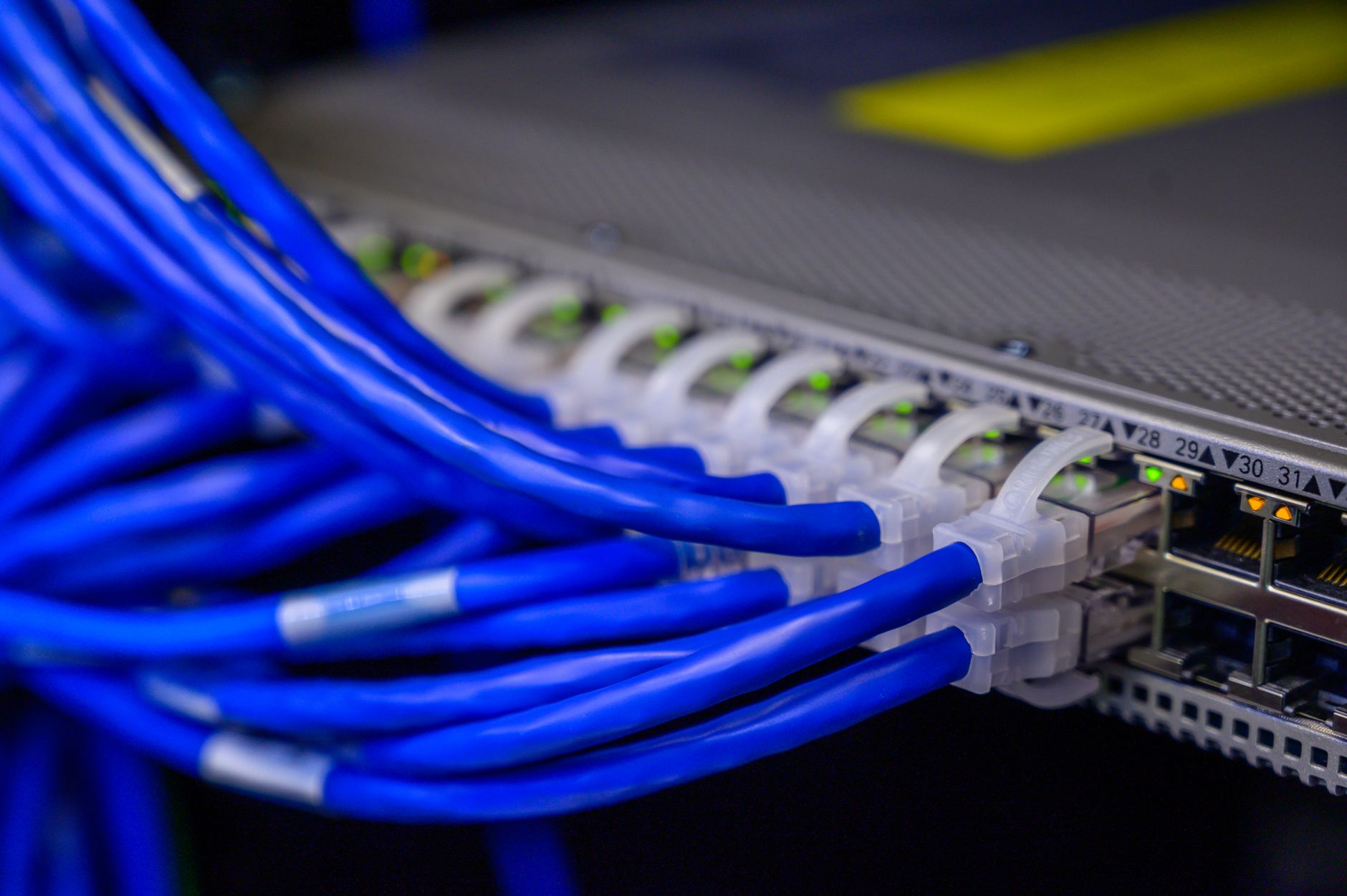
VLANs in networking are virtual LANs that let one switch carry multiple logical networks on the same physical gear. A 48-port switch can support one group for students, another for staff, and another for guests without adding new cables.
That split matters because the switch follows VLAN rules, not just plug location. A device on port 12 can belong to VLAN 10, while a device on port 13 can belong to VLAN 20, even if both sit on the same shelf in a room.
The catch: The word “virtual” does not mean fake; it means the network uses software rules and switch settings to draw boundaries that the wall jacks never show.
Students usually run into this idea in an introduction to networking course because VLANs connect several basics at once: switches, broadcast domains, IP subnetting, and port assignment. Introduction to Networking often puts VLANs near the middle of the course, after learners grasp how devices talk on a LAN.
A VLAN does not move packets by magic. It just tells the switch which devices belong together. That is why two laptops plugged into the same switch can act like they sit on different networks, and that feels odd the first time you see it.
The cleanest way to think about VLANs is this: one building can have one cable plant and still support several separate networks. That idea shows up in schools, hospitals, and offices with 100 or more endpoints, where a flat network would turn messy fast.
I like VLANs because they force people to stop confusing physical layout with network behavior. Those are not the same thing, and beginners who mix them up usually miss the whole point.
Why Do Networks Use VLANs?
Networks use VLANs to cut broadcast noise, tighten security boundaries, and keep 1 building from acting like one giant gossip circle. On a busy LAN, even a small broadcast can spread to every device in that VLAN, so shrinking the broadcast domain helps a lot.
Reality check: A VLAN does not stop every attack, and it does not replace firewalls, but it does make life harder for traffic that should never reach 50 other devices.
Admins also use VLANs to organize people by function instead of by floor or cable run. Finance can sit on VLAN 30, voice phones on VLAN 40, and guest devices on VLAN 50, even if all three groups plug into the same switch stack.
That saves time during moves and changes. If a team shifts from Room 214 to Room 318, the admin can keep the same VLAN policy and change port settings in minutes, not rip up 2 floors of cabling.
A lot of the value comes from control, not speed. VLANs do not make a 100 Mbps link faster by themselves, and they do not fix slow Wi‑Fi, which frustrates people who expect magic from every network feature.
The best use case is simple: keep noisy devices away from sensitive ones. A guest network with 200 phones and laptops should not sit in the same broadcast domain as payroll systems, and VLANs make that split straightforward.
Introduction to Networking treats this as a design habit, not just a switch trick. That mindset matters more than memorizing the term, because VLANs show up anywhere a network needs order.
Learn Introduction To Networking Online for College Credit
This is one topic inside the full Introduction To Networking course on UPI Study — a self-paced online class for college credit. Credit recommended by NCCRS; your college decides how credits transfer. Courses start at $250 with no deadlines and lifetime access.
Explore on UPI Study →How Do VLAN IDs Separate Devices?
A VLAN ID is the number a switch uses to label a logical network, and that label decides which devices can share broadcasts. Port 7 can belong to VLAN 10 while port 8 belongs to VLAN 20, even on the same 24-port switch.
- An admin assigns a switch port to a VLAN, such as VLAN 10 or VLAN 20, so the port belongs to one logical group.
- When a device sends traffic, the switch checks the port setting and keeps that traffic inside the matching broadcast domain, not across every port.
- If two devices sit in different VLAN IDs, the switch blocks their layer-2 broadcasts by default, even if both devices connect to the same hardware cabinet.
- Admins often use thresholds here, like keeping a guest VLAN under 25 devices or separating a lab with 40 PCs from staff machines.
- If traffic needs to cross VLANs, a router or layer-3 switch handles that step, which adds control but also adds setup work and a possible bottleneck.
- On many networks, tagged trunk links carry several VLANs at once, so one uplink can move VLAN 10, 20, and 30 together between switches.
Which VLAN Concepts Should Students Know?
Students only need 6 core VLAN ideas to stop feeling lost, and each one connects to how a switch behaves on a real LAN. Get these straight and the rest starts to make sense.
- Access port — A port that belongs to one VLAN, like VLAN 10, and sends untagged traffic for a single device.
- Trunk port — A port that carries traffic for multiple VLANs, often between two switches or between a switch and a router.
- VLAN tagging — The switch marks frames so it knows whether they belong to VLAN 20, 30, or another ID.
- Default VLAN — Many switches use VLAN 1 as the starting point, which can confuse beginners who never change the factory settings.
- Broadcast domain — Devices in the same VLAN hear each other’s layer-2 broadcasts, while devices in different VLANs do not.
- Logical vs physical layout — A desk location and a VLAN assignment can point in different directions; one shows where a cable plugs in, the other shows how the network groups traffic.
- Port-based control — Admins often map 12, 24, or 48 ports to different VLANs, which gives them control without buying new switches.
How Do VLANs Change Network Design?
VLANs change network design by letting one building, one floor, or one 48-port switch host many separate logical networks at once. That means the wiring stays the same, but the traffic rules change, which is a cleaner trick than ripping out cables.
Worth knowing: VLANs reshape the network map without touching the walls, and that is why admins like them in 3-story offices, labs, and campus buildings.
They do not create physical separation. A printer and a laptop can sit 2 feet apart and still belong to different VLANs, or they can sit 2 floors apart and still share the same VLAN if the switch settings say so.
That difference sounds small, but it drives the whole design. Physical layout tells you where the hardware sits. Logical segmentation tells you who can talk to whom, and that matters far more than people expect when they first see a rack of gear.
VLANs also help students understand why network design is part hardware and part policy. A switch can be dumb about distance but smart about groups, and that makes VLANs one of the best examples of how networking mixes rules with wires.
Introduction to Networking uses this topic to show that a good design does not always need new hardware, just better structure. That is a useful lesson, and a slightly annoying one, because it means many messy networks already have the tools they need.
Frequently Asked Questions about VLANs
Most students picture one office network as one big group of devices, but VLANs work better when you split that same physical switch into separate logical groups. A VLAN, or Virtual Local Area Network, uses a VLAN ID to keep devices apart on the same hardware, often across 2 or more rooms or floors.
If you skip VLANs, every device can land in one large broadcast domain, and that floods the network with extra traffic. You'll see more noise on the wire, slower response times, and messier troubleshooting when 50, 100, or more devices all share the same space.
The biggest surprise is that VLANs don't need separate cables, switches, or racks to separate traffic. One switch can carry several VLAN IDs, like 10, 20, and 30, while each group still acts like it lives on its own network.
VLANs matter to anyone who manages shared networks in schools, offices, labs, or clinics, and they don't help much on a tiny home setup with 3 devices and one router. In an introduction to networking course, they show how logical segmentation beats a messy physical layout.
Start by drawing one switch, then label two or three device groups and give each group a VLAN ID like 10 or 20. That simple sketch shows how a logical network can sit on top of one physical network.
VLANs separate devices by tagging frames with a VLAN ID, so switches know which traffic belongs to which group. The catch is that devices in different VLANs usually need a router or layer 3 switch to talk across the boundary.
The most common wrong assumption is that VLANs change the cables, but they usually change the rules inside the switch. In unraveling vlans and definitions and, you learn that the physical layout stays the same while the logical segmentation changes.
A structured introduction to networking course that lets you study online can cover VLANs, broadcast domains, and VLAN IDs in 4 to 8 weeks. Some programs also offer ace nccrs credit and transferable credit, so the class can count toward college credit.
20 devices can sit in one VLAN, and 200 can too, as long as the switch and network design support it. The real limit depends on the gear and the goal, not the VLAN concept itself.
Logical segmentation groups devices by function, not by where the cable runs, while physical layout only shows where the switch ports, cables, and rooms sit. A printer on floor 2 can share VLAN 50 with laptops on floor 1, and they still stay in the same broadcast domain.
Networks use VLANs to cut broadcast traffic, separate departments, and keep guest, staff, and server traffic apart on shared hardware. That setup helps a 24-port switch act like several smaller networks without buying 3 separate switches.
VLAN IDs label traffic so switches know which logical group a frame belongs to, and common IDs include 1, 10, 20, and 30. A VLAN ID doesn't move the cable; it tells the network how to sort the traffic.
Final Thoughts on VLANs
VLANs sound technical at first, but the idea stays simple once you strip away the jargon. One physical network can hold several logical networks, and a switch can keep those groups apart with VLAN IDs, port settings, and broadcast-domain rules. That split matters because network design always has two layers. The first layer is what you can touch: cables, ports, switches, and racks. The second layer is what the switch decides: who belongs together, who hears broadcasts, and who stays out. Students who get VLANs usually stop thinking of a network as one flat blob. They start seeing structure. That shift pays off fast, because the same idea shows up again in routing, security, wireless design, and troubleshooting on networks with 20 devices or 2,000. The warning label is simple. VLANs do not fix weak passwords, slow internet service, or bad planning. They only give you a better way to group traffic and reduce mess. That is still a big deal. If you can explain why two laptops on the same switch can belong to different VLANs, you already understand more network design than a lot of beginners do. Use that idea next time you look at a switch diagram or a campus floor plan.
How UPI Study credits actually work
Ready to Earn College Credit?
Credit recommended by NCCRS · Self-paced · Your college decides how credits transfer · $250/course or $99/month (US)