
Point-to-point, bus, and star topologies describe how devices connect in a network, and the easiest way to tell them apart is to ask one question: how many paths carry the traffic? Point-to-point uses 1 direct link between 2 devices. Bus puts several devices on 1 shared backbone. Star sends each device to 1 central hub or switch. The most common student mistake is mixing up the words with the picture. A bus topology does not mean a public bus full of devices, and a star topology does not mean devices talk to each other in a circle. The shape matters, but the wiring rule matters more. If you can spot the number of links and the central device, you can identify all 3 in seconds. That skill shows up fast in an introduction to networking course because diagram questions often hide the answer in plain sight. A direct cable between 2 routers, 5 computers on 1 line, or 8 laptops tied to 1 switch all tell very different stories about speed, fault risk, and growth. Those differences matter in home networks, office LANs, and older lab setups. Topology does not say everything about performance. A star with a weak switch can still fail badly, while a simple point-to-point link between 2 sites can carry traffic cleanly over 10 miles or 100 miles. Shape gives you the first clue, not the full picture.
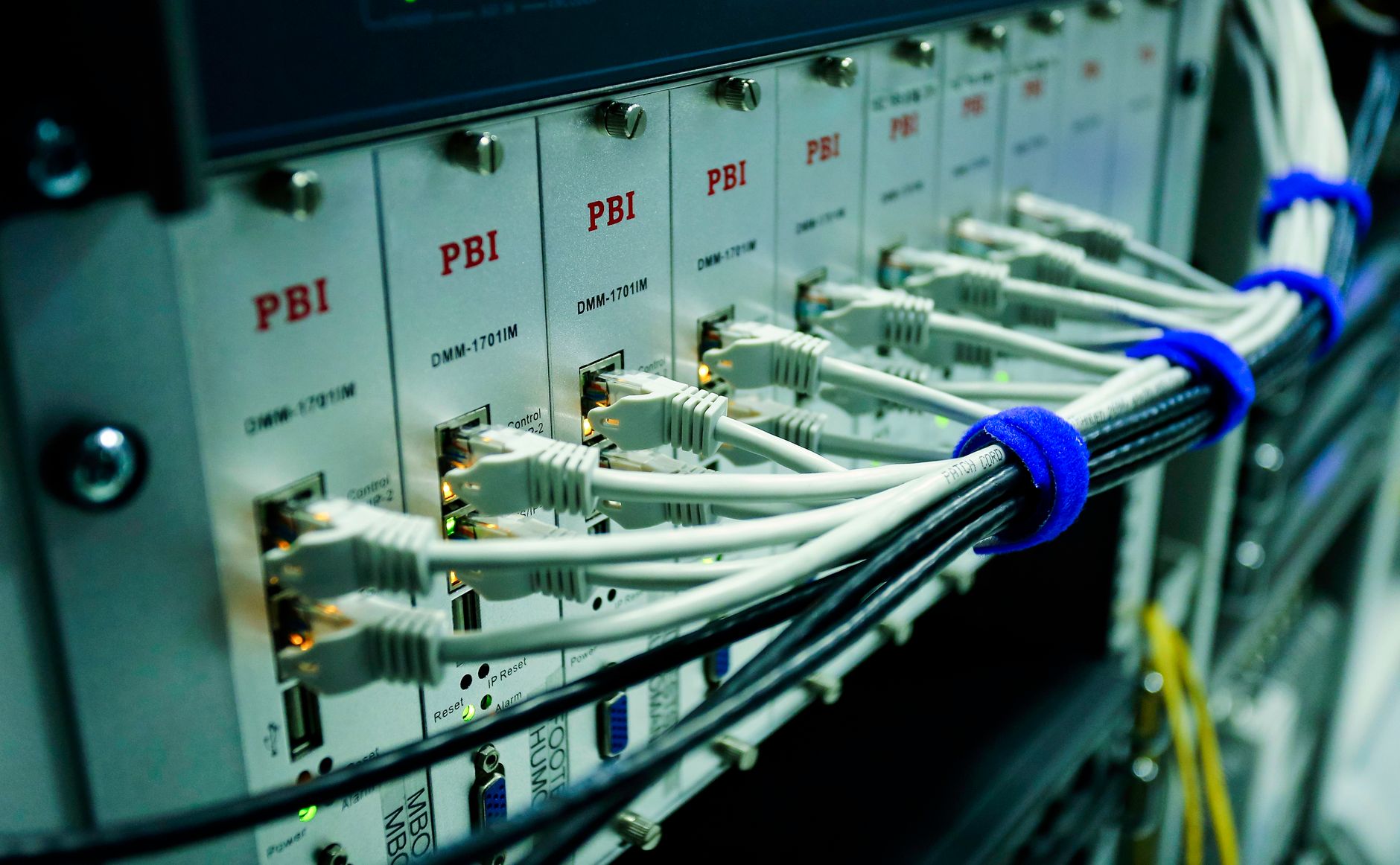
What Do Point-to-Point, Bus, and Star Topologies Mean?
Point-to-point topology means 2 devices share 1 direct connection, so the link goes straight from one end to the other with no middle device. In a lab or campus backhaul, that might look like 1 router linked to 1 router, or 1 switch linked to 1 server over a single cable or radio path. Simple. Clean. Very hard to misread.
Bus topology means several devices connect to 1 shared backbone, usually a single main cable or line that carries traffic for the whole group. Older Ethernet labs used this idea a lot, and the classic warning signs include 3, 5, or 10 devices all hanging off the same main segment. That shared line is the whole story. If the backbone breaks, the network can go down for everyone on it.
Star topology means every device connects to 1 central hub or switch, and each device gets its own separate cable back to that center. A small office might put 12 computers, a printer, and a file server around 1 switch in the wiring closet. That design looks like a star on paper, but the real reason people use it is control.
The catch: Students often think the drawing shape matters more than the connection rule, but topology always starts with the path traffic takes. If you know whether there is 1 direct link, 1 shared backbone, or 1 center point, you already know the topology.
Reality check: Bus and star can both show up in basic networking diagrams from 1983 to today, but they behave very differently under failure. Point-to-point is the odd one out because it only serves 2 endpoints, which makes it easy to label and easy to test.
How Do These Topologies Connect Devices?
The easiest way to compare these 3 layouts is to look at who connects to whom, how many links you need, and what breaks first when 1 cable fails. That matters in class diagrams and in real wiring closets, because the failure pattern often gives away the answer.
| Thing | Point-to-Point | Bus | Star |
|---|---|---|---|
| Layout | 2 devices, 1 direct link | Many devices, 1 shared backbone | Many devices to 1 center |
| Links | 1 cable or radio path | 1 main line, shared taps | 1 cable per device |
| Cable failure | Only that link stops | Backbone fault can stop all | 1 spoke fails, others stay up |
| Central device | None | None in basic form | Hub or switch required |
| Common scale | 2 endpoints | Small legacy LANs | 5 to 50+ devices |
| Typical use | Backhaul, direct link | Older Ethernet, lab demos | Home, office, campus LAN |
What this means: Star looks busier on the page, but it is usually easier to run because each device has its own cable. Bus looks cheap at first, then gets messy fast when 6 or 8 devices share the same line.
A good diagram clue is failure scope: 1 bad spoke hurts 1 device in star, while 1 bad backbone can silence the whole bus.
Why Is the Bus Topology So Often Misunderstood?
Bus topology gets confused because students hear the word “bus” and picture a vehicle, not a shared communication line. In networking, the bus is not a machine you ride in. It is 1 main cable or backbone, and every device listens on that same path. That detail changes everything.
The common mistake is assuming each device has its own private line to some center point. That sounds like star, not bus. In a bus layout, 4, 6, or 12 devices all share the same channel, so one transmission can affect the others if the timing overlaps. Older Ethernet systems used this shared style before switched networks took over in the 1990s.
Worth knowing: Shared means shared. If 1 device sends a signal on the backbone, every device on that segment can see it, which is why collisions became such a headache on early bus networks. More devices on the line usually meant more conflict, slower response, and more time spent hunting down a bad connector.
That is why troubleshooting bus networks felt like chasing a loose screw in a long hallway. One damaged terminator, one bad tap, or one break in the 1 backbone cable could knock out the whole segment. I think that fragility makes bus topology a poor fit for modern teaching unless the goal is to show why newer designs won.
Bus still matters in textbooks because it teaches the idea of shared media. Once you understand that 1 line carries traffic for everyone, you can explain why access control, collisions, and signal timing all matter in a 10-device segment.
Learn Introduction To Networking Online for College Credit
This is one topic inside the full Introduction To Networking course on UPI Study — a self-paced online class for college credit. Credit recommended by NCCRS; your college decides how credits transfer. Courses start at $250 with no deadlines and lifetime access.
Explore Networking Course →What Are the Main Advantages and Limits?
A quick comparison helps here because the tradeoffs are blunt. Point-to-point uses 1 link for 2 devices, bus spreads 1 backbone across several nodes, and star gives each device its own run back to a hub or switch.
- Point-to-point is the simplest design. Two endpoints and 1 link make it fast to understand, fast to test, and easy to trace in a lab.
- Point-to-point also has a hard limit: it only serves 2 devices. That makes it poor for a room with 10 computers unless you add more links.
- Bus can save cable and money in a tiny setup, which is why older classrooms used it. The downside shows up fast once 5 or 6 devices share the same line.
- Bus has a weak failure pattern. One break in the backbone can stop the whole segment, and collision problems grow as traffic rises.
- Star is easier to expand because you can add 1 device at a time to the switch. That is why home routers and office switches became so common after the late 1990s.
- Star depends on the center device. If the hub or switch dies, every attached device loses service at once, which feels neat on paper and annoying in real life.
- Bottom line: Star usually wins in modern buildings because troubleshooting is simpler. You can isolate a bad cable in minutes instead of guessing across 1 shared backbone.
Point-to-point is elegant, but elegance has a small ceiling. Bus looks cheap, but cheap can cost you hours when a fault hits the main line.
Which Topology Fits Common Network Uses?
Point-to-point fits direct device links and backhaul connections because it gives 2 endpoints a clean path with no extra sharing. A router-to-router link, a microwave link between 2 buildings, or a fiber run between 2 campus closets all use that idea. One path. Two ends. Clear signal flow.
Bus shows up more in legacy examples than in fresh installs, especially in older Ethernet lessons and historical diagrams from the 1980s and 1990s. You still see it in textbooks because it teaches shared access, but most modern offices do not build new bus networks. I would not bet class time on bus for real deployment today.
Star fits most homes, offices, and school labs because switches make it easy to add 1 laptop, 1 printer, or 1 access point at a time. A room with 20 devices can stay organized if each one runs back to the center. That is why a star layout appears in nearly every introduction to networking course.
Reality check: If a diagram shows 1 central switch with 8 lines coming out of it, that is star even if the lines look messy. If the diagram shows 1 line with several devices tapping onto it, that is bus no matter how neat the drawing looks.
For students earning college credit through an online course, this distinction matters because exam questions often reward fast visual recognition, not long theory. A good rule: 2 devices usually means point-to-point, 1 shared line points to bus, and 1 center with many spokes points to star.
How Can You Tell Them Apart on an Exam?
Exam questions usually give you a sketch, not a speech, so your job is to spot the wiring pattern in under 10 seconds. Count the endpoints, find the backbone, and look for the center device.
- Start with the number of devices. If you see exactly 2 endpoints, choose point-to-point first.
- Check for 1 shared line. If 4, 5, or 8 devices all attach to the same backbone, you are looking at bus.
- Look for a center hub or switch. If every device runs to 1 middle point, that is star, even if the diagram uses 6 or 12 lines.
- Use the memory trick “2, line, spokes.” Two devices means point-to-point, 1 line means bus, and spokes around a center means star.
- Watch for failure clues. If 1 cable break takes out only 1 device, think star; if 1 break can stop the segment, think bus.
- Practice with time pressure. Give yourself 30 seconds per diagram, because many intro exam questions expect quick identification rather than deep analysis.
How Does This Topic Fit UPI Study?
90+ college-level courses and 2 approval paths matter when a student wants networking credit that can move beyond 1 school. UPI Study offers NCCRS- or ACE-recommended courses, and that matters because those 2 bodies help colleges judge non-traditional credit.
UPI Study includes an Introduction to Networking course that fits this topic directly, and the format works for students who want to study online without fixed deadlines. The course set is fully self-paced, and UPI Study prices it at $250 per course or $99 per month for unlimited access.
UPI Study also fits students who want transfer-friendly credit in a general education plan or an IT track, since the 2,100+ colleges that cooperate with ACE and NCCRS will consider the credit (final decision is with universities). That mix helps when a student needs one course for an introduction to networking course, then wants to keep going with 90+ options in the same system.
Worth knowing: UPI Study matters most when a student wants college credit from an online course instead of a one-off tutorial. The structure gives you a real course record, ACE and NCCRS credit recommendation, and a clean path for transferable credit at cooperating colleges.
The downside is simple: a course like this still asks for steady work, not just video watching. That is the tradeoff I respect, because easy shortcuts rarely count for much in credit-recommended study.
Frequently Asked Questions about Network Topologies
This applies to you if you're in an introduction to networking course or studying for college credit, and it doesn't fit if you're talking about wireless-only home setups with no cable layout. Point-to-point links 2 devices, bus shares 1 main line, and star uses 1 central switch or hub.
If you mix them up, you'll miss easy questions about device count, fault points, and data flow, and that can cost you points on an intro exam or an online course quiz. A point-to-point link has 2 endpoints, a bus uses 1 backbone, and a star has 1 center device.
The most common wrong assumption is that all 3 topologies use the same kind of cabling, but they don't. Point-to-point uses a direct link between 2 devices, bus puts every device on 1 shared line, and star gives each device its own link to the center.
Start by counting how many connection paths you see: 1 line between 2 devices means point-to-point, 1 shared backbone means bus, and several lines into 1 center mean star. That simple check works in lab diagrams and exam charts.
A star often needs the most cable, sometimes 3 to 10 separate links in a small lab, because each device connects to the center. A bus uses 1 main cable, and point-to-point uses just 1 link between 2 devices.
Point-to-point connects 2 devices directly, bus puts devices on 1 shared backbone, and star connects every device to a hub or switch. Star usually makes troubleshooting easier, but a center failure can stop the whole network.
Most students memorize the names, but what actually works is drawing all 3 layouts 3 times and labeling the devices, cables, and failure points. That takes about 10 minutes and sticks better than rereading a page.
What surprises most students is that a bus can fail because of 1 broken backbone cable, even if 5 or 10 devices still work. That shared line sends traffic to every device, so one cut can hurt the whole segment.
Point-to-point shows up in a direct fiber link between 2 buildings, bus still appears in older classroom diagrams, and star dominates Ethernet LANs with a switch at the center. In an introduction to networking, star is the layout you see most.
No, that mixed phrase is wrong; the real terms are point-to-point, bus, and star topologies. If you see 'point-to-point bid and star bus' in notes, treat it as a typo or scrambled labels, not a fourth network type.
Yes, you can study online and earn ace nccrs credit through credit-recommended nontraditional courses that cover point-to-point, bus, and star layouts. Those courses often include quizzes, diagrams, and short labs, which makes the topology differences easier to remember.
Final Thoughts on Network Topologies
Point-to-point, bus, and star topologies look simple on paper, but each one tells a different story about cost, failure, and growth. If you remember only 3 things, make them these: point-to-point joins 2 devices, bus shares 1 backbone, and star uses 1 center with separate links. The exam trick is not fancy. Count the devices. Find the shared line. Hunt for the hub or switch. That habit works on hand-drawn diagrams, textbook art, and lab screenshots because topology questions usually hide the same logic in different shapes. The bus idea trips people up because the word sounds familiar while the wiring rule feels strange. That is exactly why teachers keep it in the course. It forces you to look past the label and read the connection pattern. Star tends to win in modern networks because it scales better and isolates faults more cleanly, but it still depends on the central device. Point-to-point stays useful wherever 2 endpoints need a direct path. Bus mostly lives in old examples now. If you want to get faster, sketch 3 tiny diagrams from memory tonight: 1 direct link, 1 shared line, and 1 center with 4 spokes. Then label each one without looking at your notes.
How UPI Study credits actually work
Ready to Earn College Credit?
Credit recommended by NCCRS · Self-paced · Your college decides how credits transfer · $250/course or $99/month (US)