
The basic types of networks are LAN, WAN, MAN, and PAN, and people sort them by size, scope, and purpose. A LAN covers a small area like a room, floor, or building. A WAN stretches across cities, countries, or even continents. A MAN sits in the middle, and a PAN stays around one person and their devices. That simple split matters because network names are not just labels. They tell you who controls the network, how fast traffic can move, and what gear the design needs. A home Wi-Fi setup, a university campus, a city transit system, and a phone paired with a watch all fit different network types for different reasons. In an introduction to networking course, this is one of the first ideas students have to get right. If you mix up a LAN and a WAN, you miss why latency, routing, security, and cost change so much from one setup to another. A 1-mile campus link and a 3,000-mile carrier link do not behave the same way, and network engineers plan around that difference every day. These definitions also show up in coursework, exams, and job interviews. If you can spot the pattern fast, you can answer network questions with confidence instead of guessing from buzzwords.
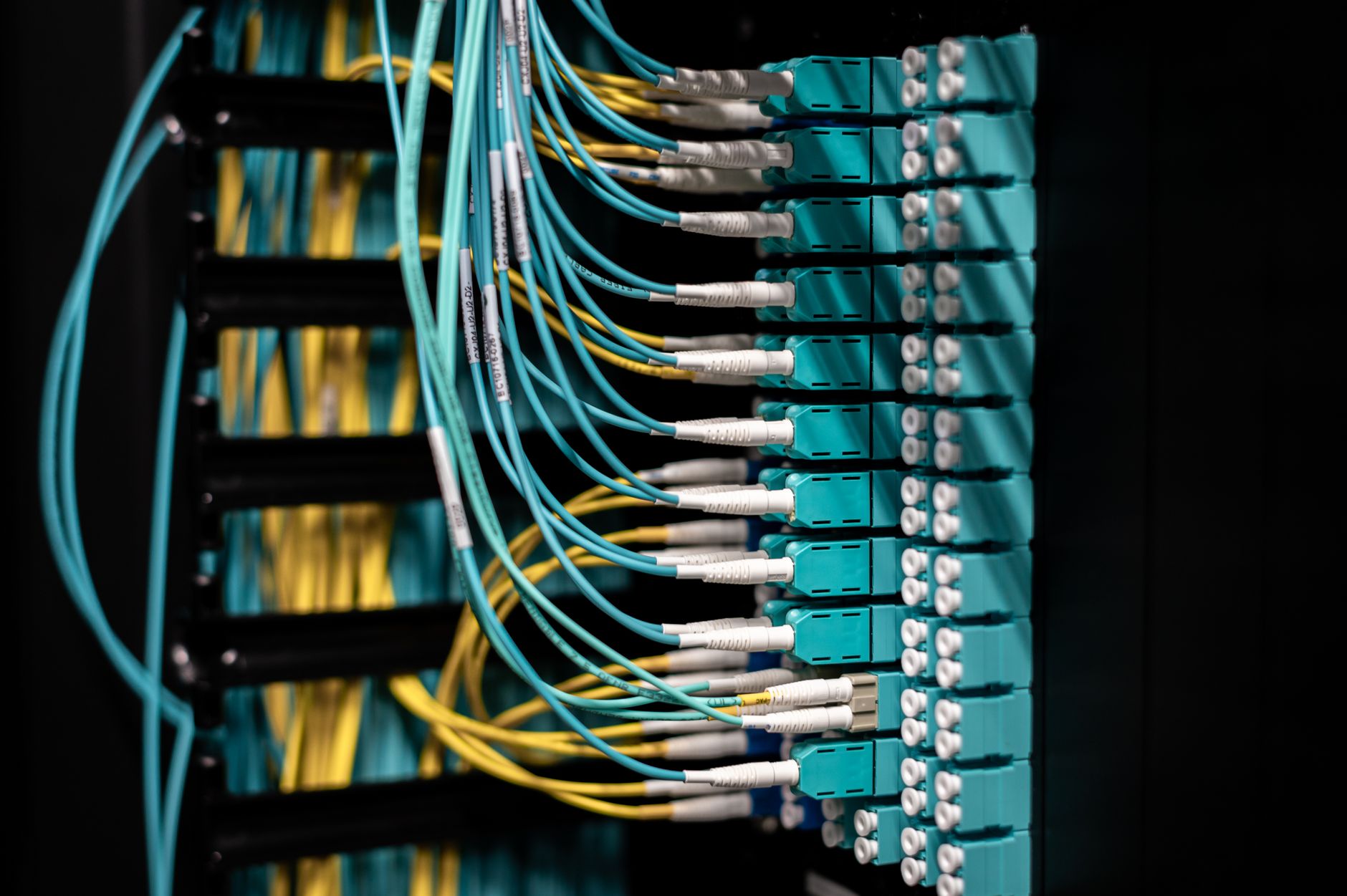
What Are the Basic Types of Networks?
Network types come from three things: geographic scope, who owns the gear, and what the network needs to do. A LAN might cover 1 building, a WAN might cover 3 countries, a MAN might cover 1 city, and a PAN might stay inside 10 meters around one person.
That split sounds dry, but it controls almost every design choice later. A school lab, a bank branch, and a smartwatch link all need different hardware, different rules, and different levels of control. I like this topic because it stops being abstract the second you picture real devices. A classroom switch, a fiber backbone, a city Wi-Fi ring, and Bluetooth earbuds all sit in different boxes for good reasons.
LAN means local area network. It usually covers a home, office, lab, or one campus building. WAN means wide area network. It connects distant sites through carrier links, leased lines, or the public internet. MAN means metropolitan area network. It spans a city or metro zone, often with 10s of kilometers of coverage. PAN means personal area network. It connects phones, tablets, earbuds, watches, keyboards, and other personal devices over a short range, often under 10 meters.
These names matter because they hint at scale and control. A LAN often stays under one company or one school, while a WAN often crosses many routers and service providers. A MAN can sit between those two, which makes it useful for city government, transit, or a large university system. A PAN looks tiny next to the others, but it solves everyday problems like syncing a phone with a laptop in 5 seconds.
If you are taking an introduction to networking class, this map helps you sort examples fast. A network definition that ignores distance, ownership, or purpose causes confusion later when you compare speed, security, and cost. The catch: A network can use the same internet protocol stack and still belong to a totally different type, which is why size alone never tells the whole story.
A decent intro to networking course will keep returning to these four labels because they shape almost every other topic. Once you can spot a LAN versus a WAN, the rest of networking basics start to click in a cleaner way.
How Does a LAN Differ from a WAN?
LANs and WANs sit at opposite ends of the network scale, so comparing them side by side makes the differences easy to see. A LAN usually lives inside 1 home, office, or campus building, while a WAN can link sites across 100 miles or 3,000 miles. That gap changes speed, ownership, and cost fast.
| Thing | LAN | WAN |
|---|---|---|
| Scope | Room, floor, building | City, country, continent |
| Common use | Home Wi-Fi, office PCs, school labs | Branch offices, cloud links, carrier backbones |
| Ownership | Usually one person or organization | Often shared with telecom providers |
| Speed / latency | Fast, low delay | More delay, varies by route |
| Typical gear | Switches, access points, Ethernet | Routers, fiber, MPLS, VPNs |
| Why it matters | Local control and simple setup | Long-distance communication and site linking |
Reality check: A LAN can feel almost instant because traffic stays close, but a WAN often adds delay from distance, carrier hops, and routing. That matters when a video call drops at 200 ms or a file sync takes 20 minutes instead of 2. If you want more course context, the Introduction to Networking course keeps this contrast front and center.
Why Do MANs and PANs Matter?
MANs and PANs sit in the middle and at the edge, and both matter because real life uses both every day. A MAN often covers 5 to 50 kilometers inside one metro area, while a PAN often covers 1 to 10 meters around one person. Those numbers sound small next to a WAN, but they solve very different problems.
A MAN helps connect places that belong to the same city or institution without stretching into full long-haul territory. Think of a city government network, a transit system, or a university with several campuses spread across 12 miles. I prefer this category because it fills the gap that LAN and WAN leave open. It gives engineers a cleaner way to talk about metro-scale links, and that helps with planning and budgeting. A 40-kilometer fiber ring does not belong in the same mental bucket as a 4,000-kilometer backbone.
PANs look tiny, but they shape everyday device use. Bluetooth often works around 10 meters, and that range fits a phone, earbuds, a smartwatch, and a wireless keyboard on the same desk. A PAN can also include a tablet connected to a hotspot or a fitness tracker syncing to an app. The downside shows up fast: short range means low coverage, so a PAN works great for personal gear but not for a room full of users.
These smaller categories matter in an online course because students often forget them and jump straight to LAN and WAN. That shortcut causes sloppy answers in class and bad design guesses in real work. Worth knowing: A city network and a personal device network both count as real network types, but they solve opposite problems, and that difference changes the hardware, the range, and the rules.
Learn Introduction To Networking Online for College Credit
This is one topic inside the full Introduction To Networking course on UPI Study — a self-paced online class for college credit. Credit recommended by NCCRS; your college decides how credits transfer. Courses start at $250 with no deadlines and lifetime access.
Explore Networking Course →Which Network Type Fits Common Scenarios?
A quick way to sort networks is to ask two questions: how far does it reach, and who uses it? That simple test works across 4 categories and saves time in class, labs, and interviews.
- Home Wi-Fi usually fits a LAN. It covers 1 apartment, house, or small office and often uses a single router.
- A university across several buildings still fits a LAN if one organization runs it, even when the campus stretches 2 miles end to end.
- City fiber, subway links, and municipal services often fit a MAN. They serve a metro area like Chicago, Toronto, or London.
- Phone-to-watch, earbuds-to-laptop, and keyboard-to-tablet links fit a PAN. Bluetooth often works at about 10 meters.
- Cloud-connected branch offices fit a WAN. The sites may sit 100 miles apart and still share one company network.
- A hospital with many floors may use both a LAN inside the building and a WAN for remote clinics in other states.
- If the network only serves one person and a few nearby devices, it almost always lands in PAN territory.
Bottom line: The same organization can run more than 1 network type at once, so the real answer depends on scope, not brand names or fancy gear.
How Do Network Types Shape Design Choices?
Network type changes the whole design stack, from cabling to routing to who gets admin access. A LAN often uses Ethernet switches, Wi-Fi access points, and 1 Gbps or 10 Gbps links inside a building, while a WAN may rely on leased circuits, VPN tunnels, or MPLS links across 50 miles or 5,000 miles.
That difference drives security choices too. On a LAN, one team may manage the full network and set VLANs, firewalls, and access rules in one building. On a WAN, you often split control between the company and a carrier, so trust boundaries get messier. I think this is where students start seeing the real value of network definitions. They stop being vocabulary words and start acting like design clues.
Bandwidth and latency also change by type. A LAN usually gives low delay and stable speed because traffic stays local. A WAN can slow down because packets cross many routers and service zones, and a 150 ms delay can wreck a voice call that felt fine on a 2 ms LAN. MANs sit in the middle and often need careful backbone planning, while PANs trade speed and range for convenience.
Cost changes with scope. A short copper run inside 1 floor costs far less than a metro fiber link or a 3-site WAN with business-grade support. That is why engineers do not just ask, "Can this connect?" They ask, "Who owns it, how far does it go, and how much control do we need?" If you are working through an introduction to networking course, that question shows up again and again.
Why Do Network Definitions Matter?
Clear network definitions matter because people make better choices when they know whether they are talking about a 10-meter PAN, a 1-building LAN, a 20-kilometer MAN, or a multi-country WAN. That matters in coursework, on certification exams, and in real team meetings where one wrong label can waste 30 minutes of troubleshooting. In a first networking class, precise terms help students explain architecture without guessing, and that skill carries into help desk work, cloud support, and network planning.
- Clearer troubleshooting: you can narrow faults faster when you know the scope.
- Better planning: a 3-site WAN needs different gear than a single-floor LAN.
- Cleaner communication: engineers, teachers, and managers use the same 4 labels.
- Faster study time: students memorize fewer patterns when definitions stay sharp.
- Less design waste: you avoid buying WAN gear for a 1-room lab.
A lot of students lose points because they treat all networks like one big idea. That mistake hurts more than people think, especially in an introduction to networking course where 1 term can separate a correct answer from a wrong one. If you can name the type, you can usually predict the use case, the range, and the control model.
The best habit is simple. Start with scope, then ask who owns it, then ask what the network supports. A PAN for earbuds, a LAN for a lab, a MAN for a city service, and a WAN for branch offices all make sense once you use that order.
Frequently Asked Questions about Network Types
If you mix up LAN, WAN, MAN, and PAN, you can pick the wrong design for speed, distance, and cost, and that can break a network plan before it even starts. A LAN covers one home, office, or campus building; a WAN can link cities, countries, or continents; a MAN sits in between; a PAN covers a few meters around one person.
Start by checking the size of the area the network covers: a PAN reaches about 1 to 10 meters, a LAN stays inside one site, a MAN covers a city, and a WAN crosses long distances. That simple size check helps you match the type to the job.
Most students memorize the names and miss the scope, but the part that works is linking each type to real use: PAN for Bluetooth earbuds, LAN for a school lab, MAN for a city service, and WAN for the internet. That makes the definitions stick.
A LAN lesson often comes first because it gives you the cleanest 1-site example, and many intro classes use that before they move to WANs and MANs. In an introduction to networking course, that order makes the jump to bigger systems easier.
The thing that surprises most students is that the label depends on scope, not on speed or brand, so a fast Wi‑Fi link can still count as a LAN. A PAN can be tiny, a LAN can run on Ethernet or Wi‑Fi, and a WAN can use leased lines or the public internet.
A WAN connects networks across large distances, such as 2 cities or 2 countries, and it often links several LANs together. The caveat is that speed, cost, and control vary a lot because carriers and long-distance links shape the design.
A MAN applies to you if the network covers a city, a large campus, or a metro area, and it does not fit a tiny room-sized setup or a global link. City fiber rings and municipal networks often sit in this middle category.
The most common wrong assumption is that any small wireless link counts as a PAN, but PAN usually covers just a few meters around one person. Bluetooth headsets, smartwatches, and phone-to-laptop links fit that 1-person range much better than a room-wide office network.
LANs stay local and usually give you high speed inside one site, while WANs connect separate sites over much longer distances and usually cost more to run. A campus network might use a LAN in each building and a WAN-style link between campuses.
Network definitions matter because they tell you what distance, control, and equipment choices fit the job, and that affects both performance and cost. If you study online, ace nccrs credit, or transferable credit material, these four terms show up again and again.
A PAN links devices within about 10 meters for one person, while a LAN connects many devices inside one home, office, or school site. Your phone syncing with earbuds is a PAN; your laptop joining a school printer and file server is a LAN.
You should remember that PAN is personal, LAN is local, MAN is metro-sized, and WAN is wide-area, with each step covering a bigger space than the last. That simple size ladder helps you sort most exam questions in networking basics.
Final Thoughts on Network Types
The clean way to remember the basic types of networks is simple: LAN is local, WAN is wide, MAN sits in the middle, and PAN stays personal. That one pattern gives you a fast way to read a setup before you even touch the hardware. Size matters, but it does not tell the whole story. Ownership, range, and purpose change the answer too, which is why a campus network, a city fiber system, and a phone-to-earbuds link all belong in different boxes. A smart network worker does not just name the device path. They ask who runs it, how far it reaches, and what problem it solves. That habit helps in class, on exams, and on the job. It also keeps you from mixing up local control with long-distance service, which saves time when you start looking at routing, security, and performance later. A 1-mile LAN and a 1,000-mile WAN may both carry the same data, but they do not ask for the same design. If you want to study this topic more deeply, keep comparing real setups to the four labels until the pattern feels automatic, then test yourself with 10 fresh examples.
How UPI Study credits actually work
Ready to Earn College Credit?
Credit recommended by NCCRS · Self-paced · Your college decides how credits transfer · $250/course or $99/month (US)